
Do you want to improve your digital drawings and paintings? Are you on the lookout for the best Clip Studio Paint free brushes? Do not worry as this post is all about the paintbrushes that you can use in Clip Studio Paint.
Brushes are said to be an important part of art whether it is traditional art or digital art.
It allows an artist to express his/her ideas and emotions.
You just need to download some free Clip Studio brushes to do that.
No matter if you are drawing something or painting or inking on a canvas, you need to have the right set of brushes.
In short, a brush is an essential tool for any artist.
If You Only Download 3 Brushes, Start Here
Not sure where to begin? Skip the overwhelm. These three picks cover the widest range of use cases, work for every skill level, and have been tested by hundreds of thousands of CSP artists. Download these first. Then explore the full list below once you’re ready.
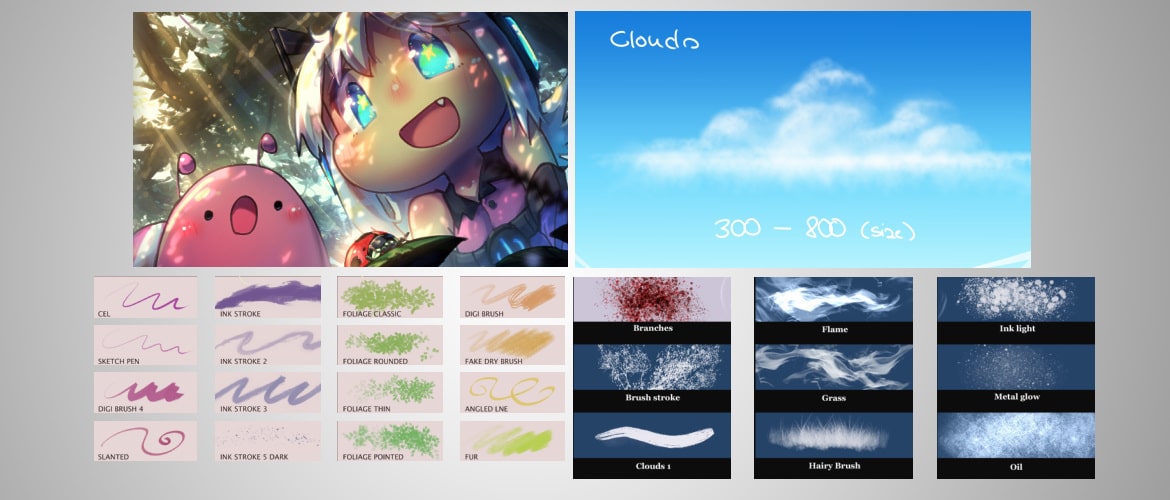
Cloud Clip Studio Brush Set
6 pressure-sensitive cloud brushes built from real sky photos. Covers everything from fluffy cumulus to distant haze. The most downloaded free brush on the marketplace.
Big Brush Set
41MB all-in-one starter pack covering sketching, inking, and painting. The only free brush set you need to go from zero to fully equipped in CSP.
Atmosphere Smoke Brush Set
A single Japanese ink-style brush for smoke, mist, and supernatural atmospheric effects. Built for manga, stunning in color.
What is Clip Studio Paint
But before getting a set of paintbrushes for Clip Studio Paint, let me explain what Clip Studio Paint is (in case you are new to Clip Studio Paint).
Clip Studio Paint is one of the popular drawing software that is a rebrand of Manga Studio.
It is perfect for artists who love to draw and paint. The uses of a CSP brush are nearly endless.
Developed by Celsys, Japanese graphics Software Company, the brush feel of this software application is beyond any other graphics software.
It can be operated on Windows, Macs, and Android devices.
There is a variety of drawing software available in the market but Clip Studio Paint competes directly with Adobe Photoshop and Corel and a lot more drawing applications.
If I talk about the Japanese market, Clip Studio Paint is the top painting and drawing software.
If you have not used it, you should give it a try.
Why? Because it is one of the most useful tools out there.
This post may contain affiliate links. I may receive a small commission when you purchase through my links at no cost to you. I only recommend products I use or really like.
What Clip Studio Paint Offers
There are a lot of artists who are creating artworks in Clip Studio Paint.
It offers a variety of features. And even more importantly, it offers a lot of free Clip Studio brushes in one place.
It has a powerful brush engine by which you can capture every detail and create every brush stroke that you want to create.
Most artists have also released their own brushes in Clip Studio Paint.
The best thing is the paintbrushes are highly customizable and convenient to use.
You can customize every aspect of the paintbrushes so you can get a brush to match your personal style.
Thanks to the brushes of Manga Studio that they work quite well in Clip Studio Paint (CSP).
So, if you see a brush set with a label of Manga Studio, do not worry, it will WORK!
This post is all about the brushes for Clip Studio Paint.
Here, I have shared a list of 40 of the best Clip Studio Paint free brushes.
These brushes may range from drawing or painting brushes to vegetation or inking brushes.
All these types of brushes will definitely get your interest no matter what your drawing or painting style is.
Are you ready to discover these top and best paintbrushes?
With each Clip Studio Paint brush, you can imagine your art in your own way.
Let’s start now with the list!
After you get these brushes, make sure to check out some of the best Clip Studio tips to help even further with digital art.
Sketching & Pencil Brushes
BRI’s Clip Studio Essential
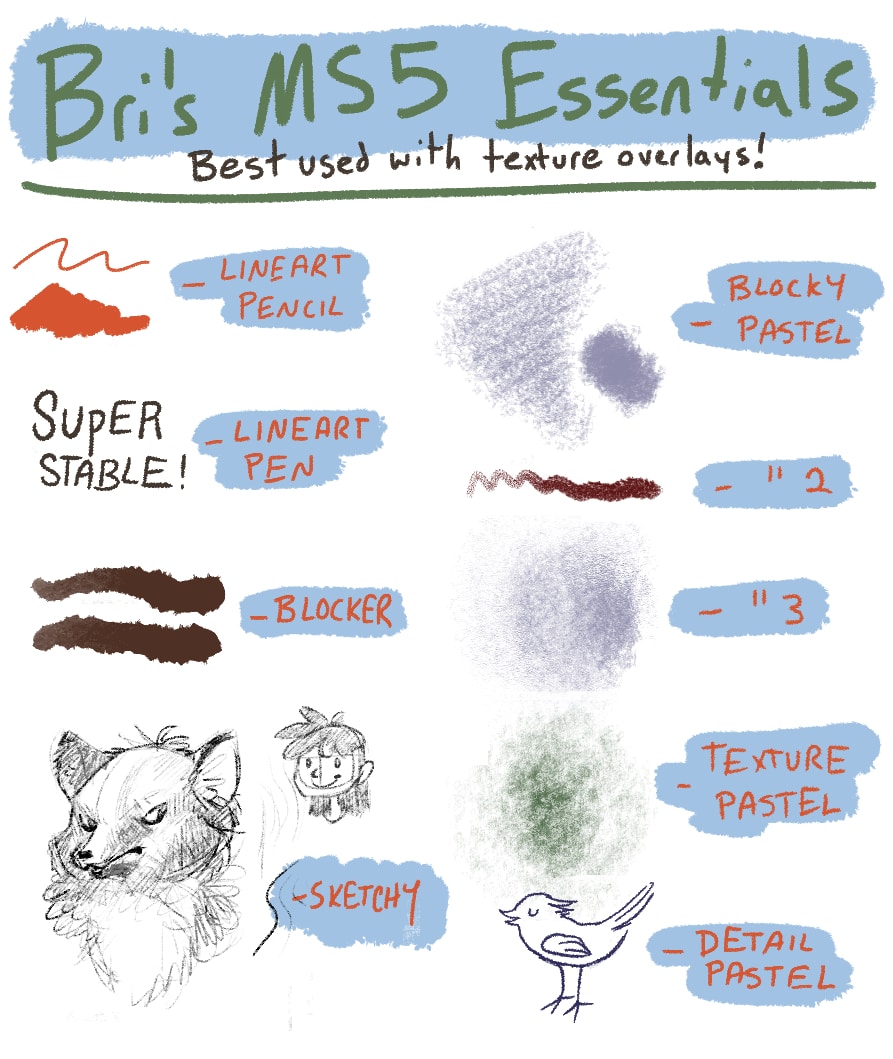
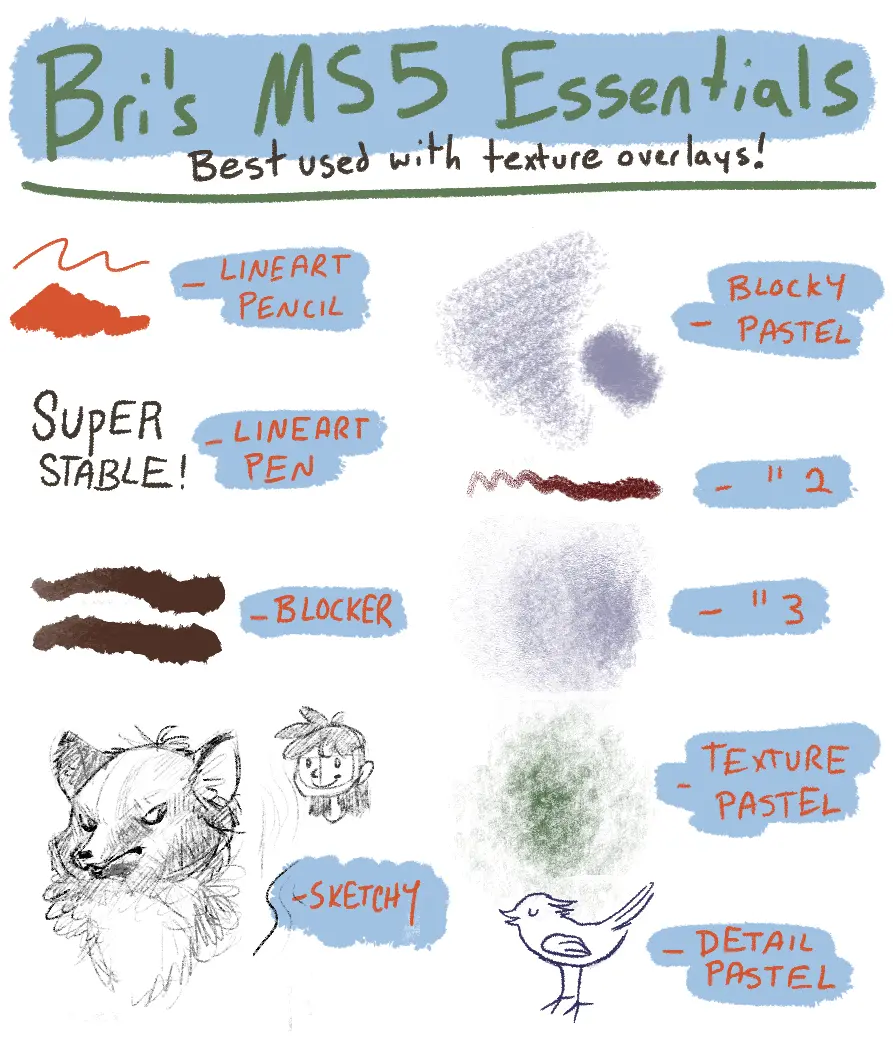
This is a good pack if you are looking for CSP brushes that mimic the feeling of rough sketching.
This is another free brush set that you may use for drawing and sketching in Clip Studio Paint.
All you have to do is set up a Clip Studio Paint brush download for it and you’re all set.
Brush Set for CSP by Typesprite
Although a fairly basic set of CSP painting brushes, they offer enough variety to form a nice palette of different forms to experiment with.
This brush set is one of those sets by which you can get a realistic drawing feel if you are working in a fantasy domain.
These are some of the best Clip Studio Paint brushes for fantasy drawing.
Plus, it is much easier to use if you are switching from traditional media to digital drawing media.
you want in paintings with this set of brushes.
Blue and Red Pencil Brushes
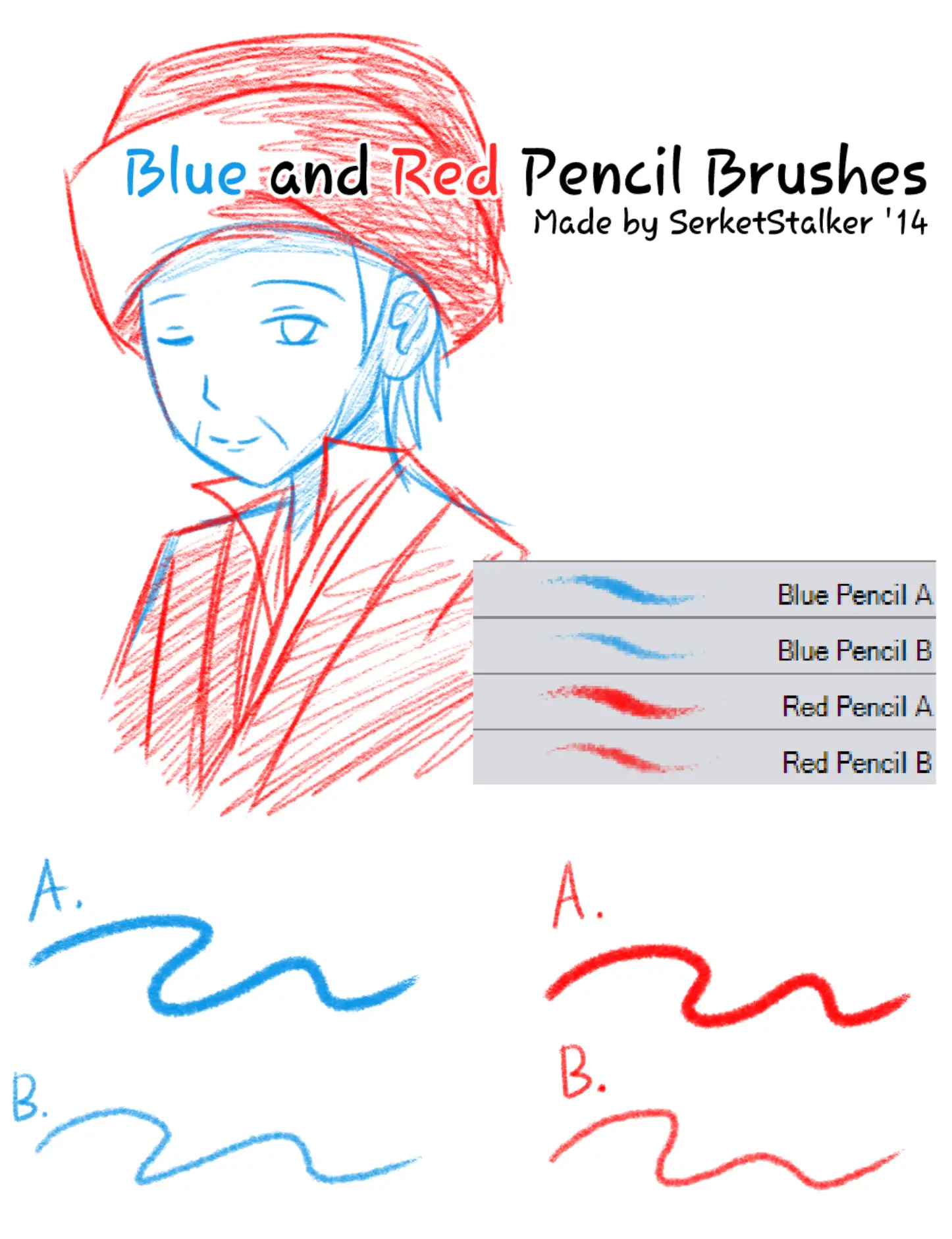
If you are an artist and want to draw paintings with blue and red pencils, you should use the Blue and Red Pencil Brushes for Clip Studio Paint.
This is a simple ‘it’s what’s on the label’ set of free brushes for Clip Studio Paint set.
Side Pencil Brush
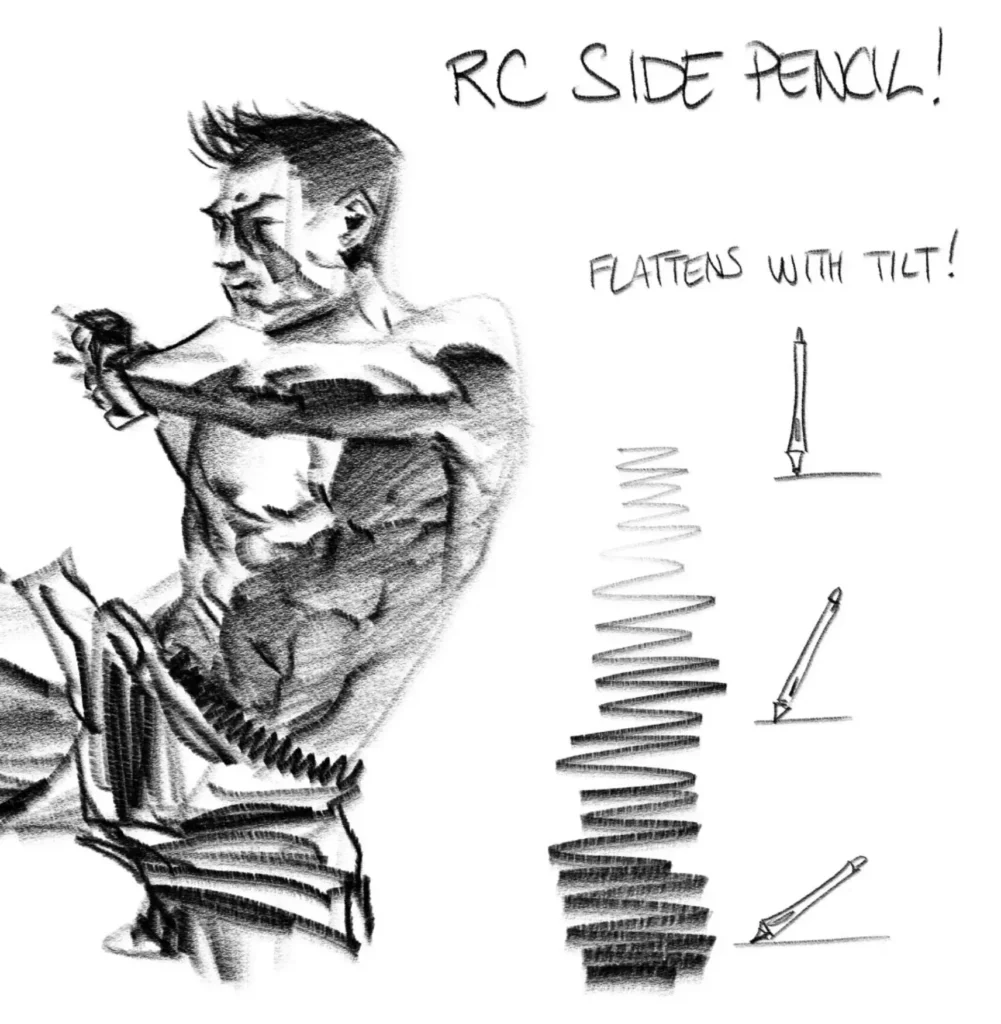
If you want to draw a side pencil sketch, this side pencil brush set for Clip Studio Paint is the best choice.
There are some nice CSP paint brushes here.
Although it is only used for side pencil sketches, it works quite well.
Nesskain Clip Studio Paint Brushes
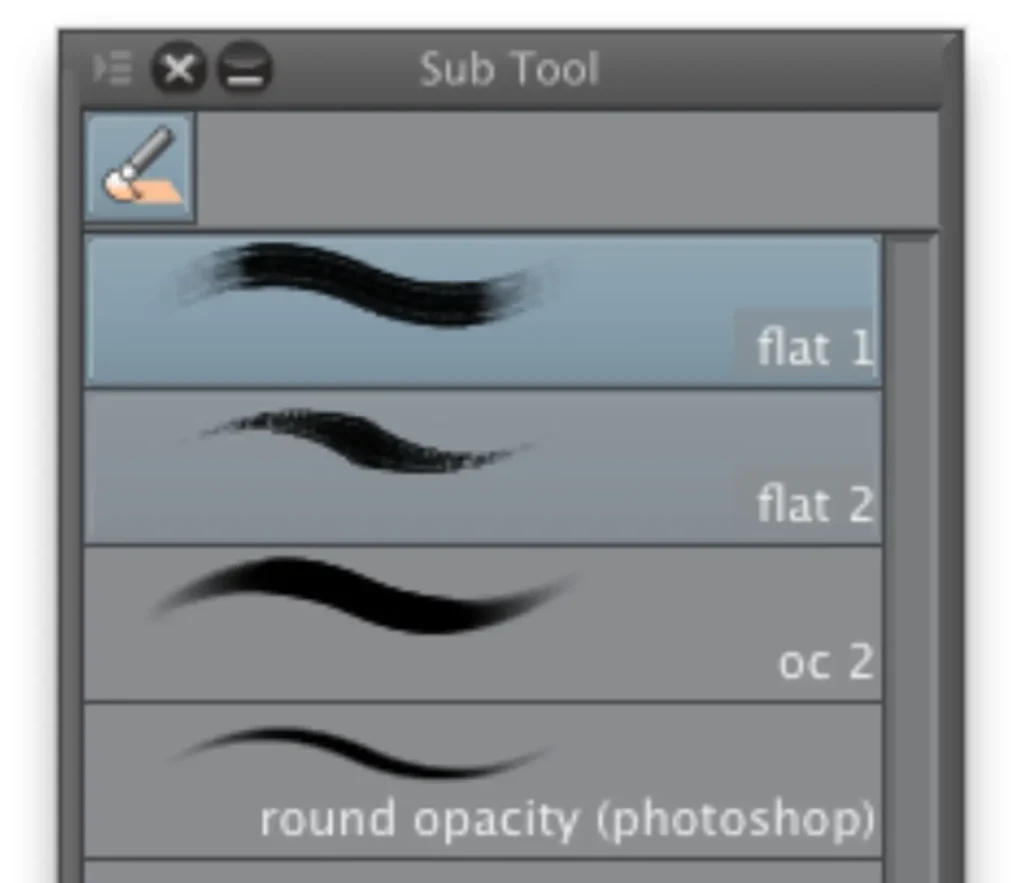
This set of brushes will surely give an unrivaled painting experience. It’s some of the best Clip Studio brushes because of how they feel on the digital paper.
Each brush of this set gives a wonderful drawing experience.
Believe me, you will get fantastic results using this set of Nesskain Clip Studio paint Brushes.
Essential CSP by hattersarts
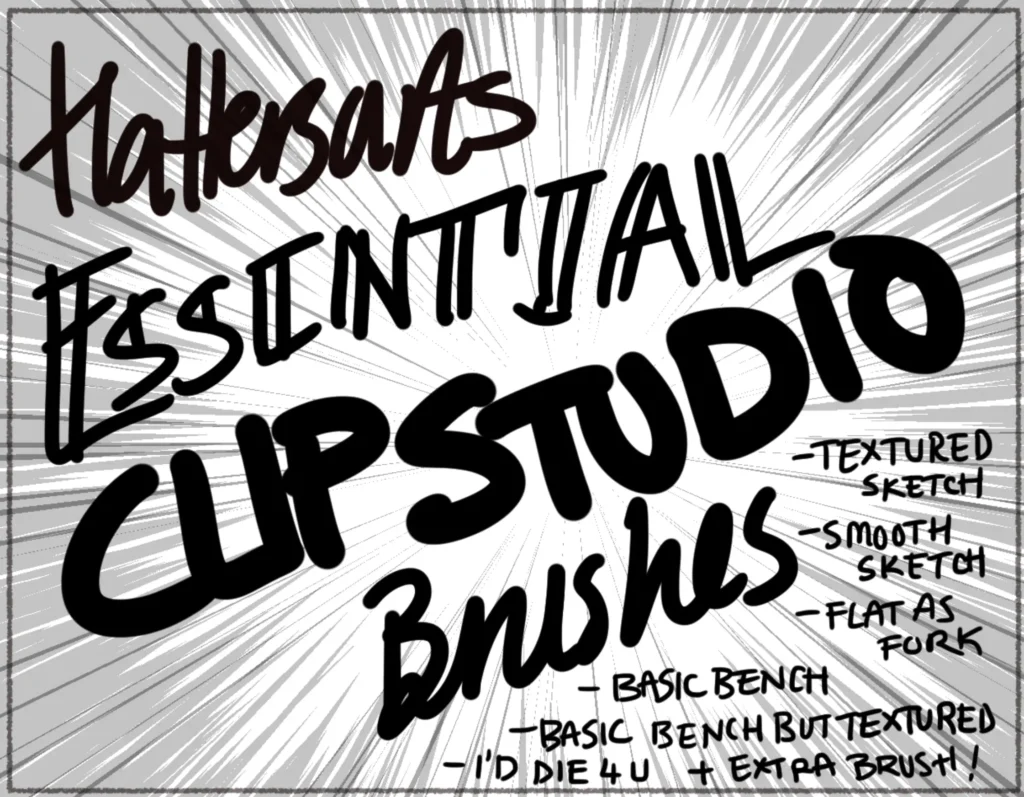
If you are a beginner artist and want to get started with the Clip Studio Paint, Essential CSP by hattersarts is a brush set you should use.
It does not mean that professionals or expert artists cannot use this set.
For everyone, these are some of the best Clip Studio brushes.
It includes many brushes that are not only easy to use but give smooth drawing and sketching texture similar to the experience that you can get with the premium set of brushes.
Although this set does not contain a lot of brushes, each brush it provides gives you a basic start for drawing in Clip Studio Paint.
CSP free brushes like these are great for getting started with a large variety of different uses.
What this brush pack offers:
- Textured Sketch
- Flat as Fork
- Smooth Sketch
- Basic Bench
- Basic Bench but Textured
Elisven Brushes
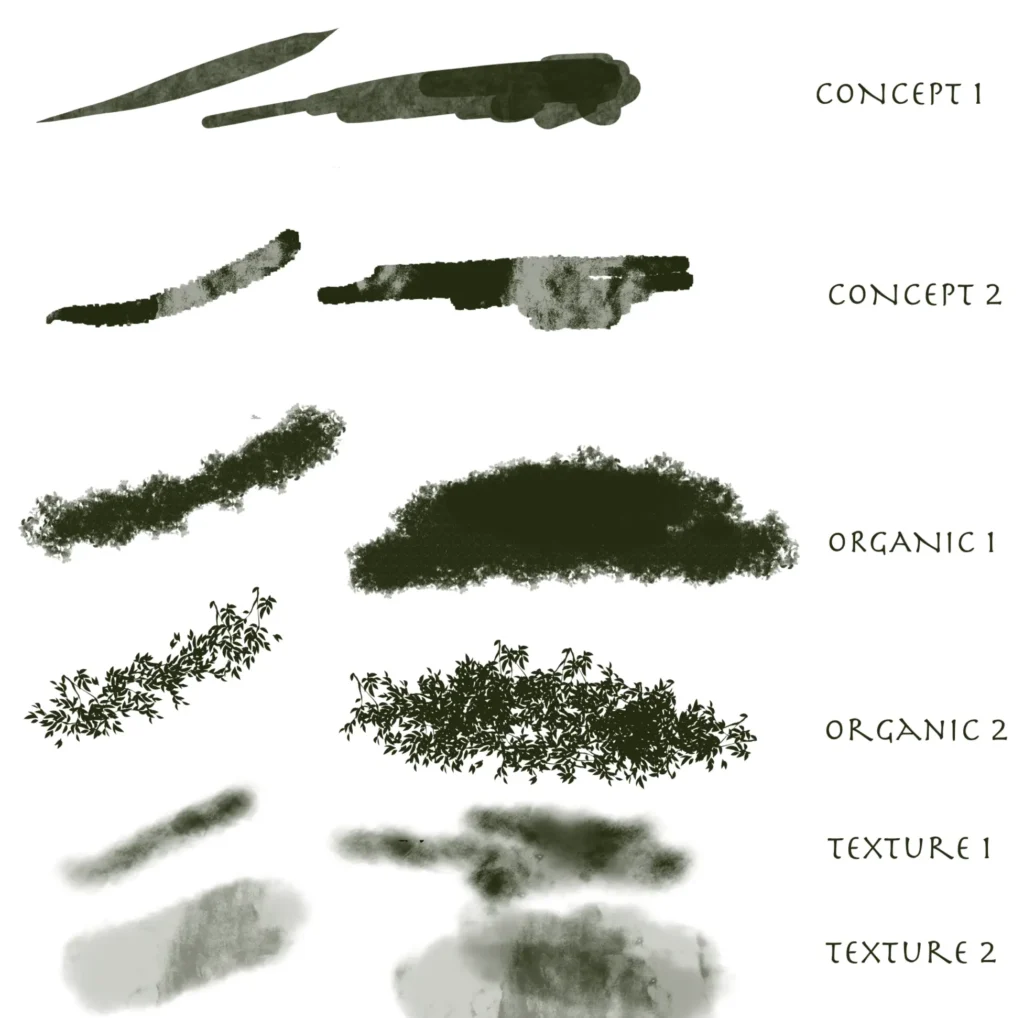
Another set of brushes you may use for Clip Studio Paint is Elisven Brushes.
This set of CSP painting brushes is quite inky and provides unique textures.
This set contains a great variety of brushes. Each brush can fit into any drawing project.
Moreover, the brushes of this set are quite easy-to-use as well.
They are some of the best free brushes for Clip Studio Paint.
Although it contains only six brushes, what’s unique?
It offers a variety of unique textures. In short, this set of brushes provides the best drawing experience!
Zkoyllar Brush Pack
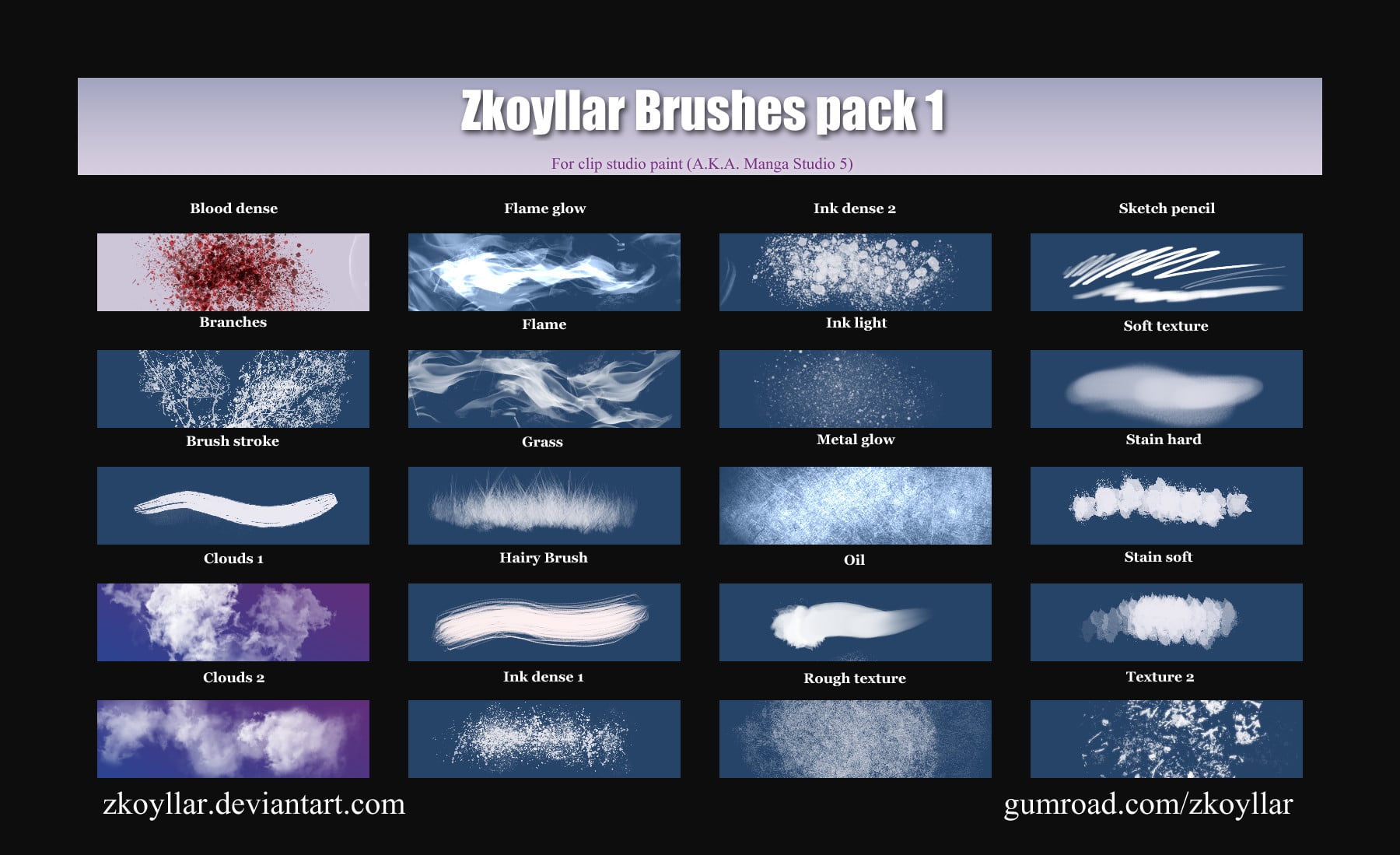
With the Zkoyllar Brush Pack, you can get a combination of brushes – each with basic and advanced texture effects.
This is just a solid pack of CSP paint brushes.
Inking and Lineart Brushes
Clip Studio Pencil and Pen Brushes
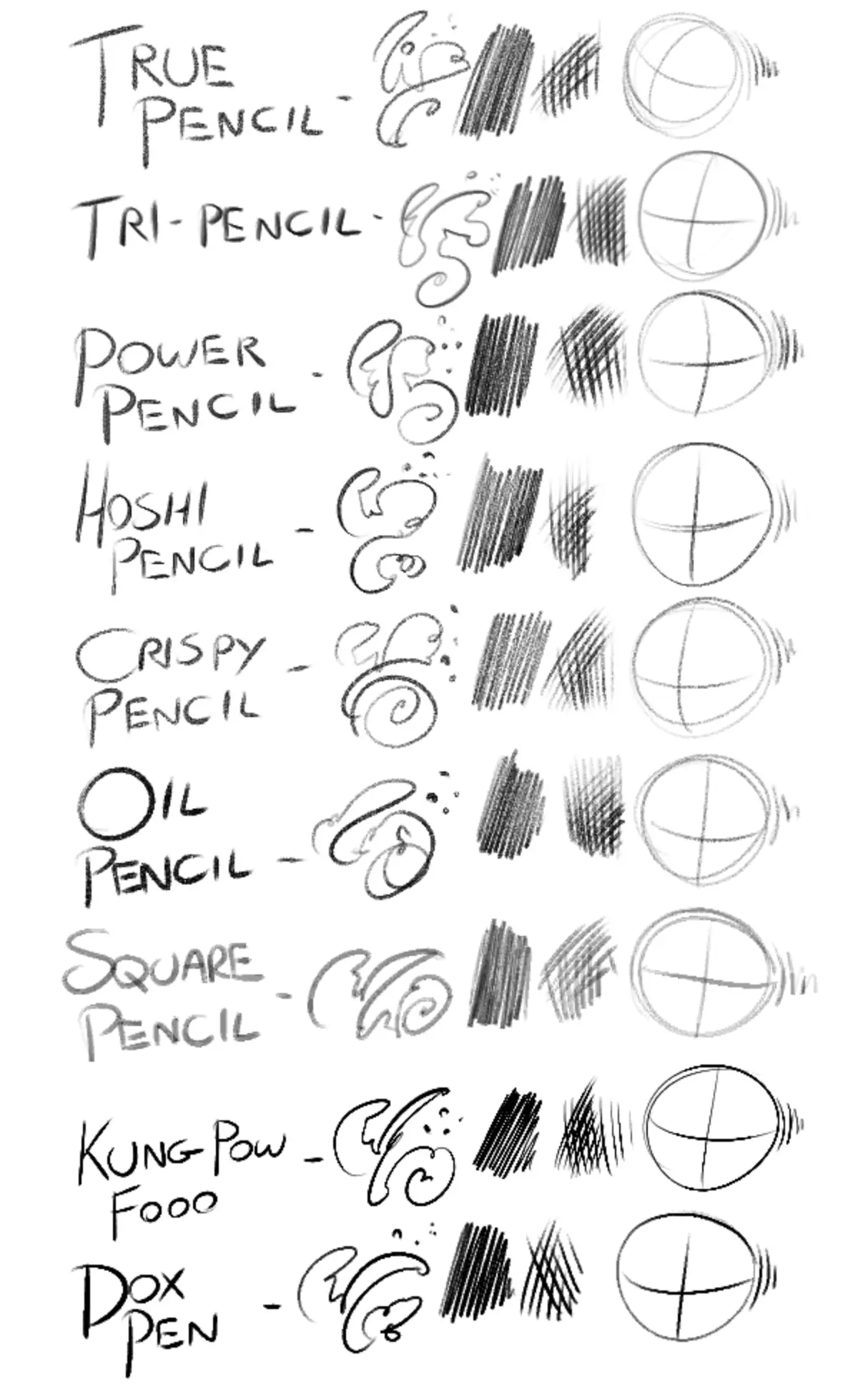
A great pencil brush goes a long way. If you’re looking for some of the best free CSP brushes for pens and pencils, look no further.
Here is a collection of more than 12 pencil and pen brushes.
A simple and easy Clip Studio Paint brush download.
SerketStalker’s Assorted Brushes
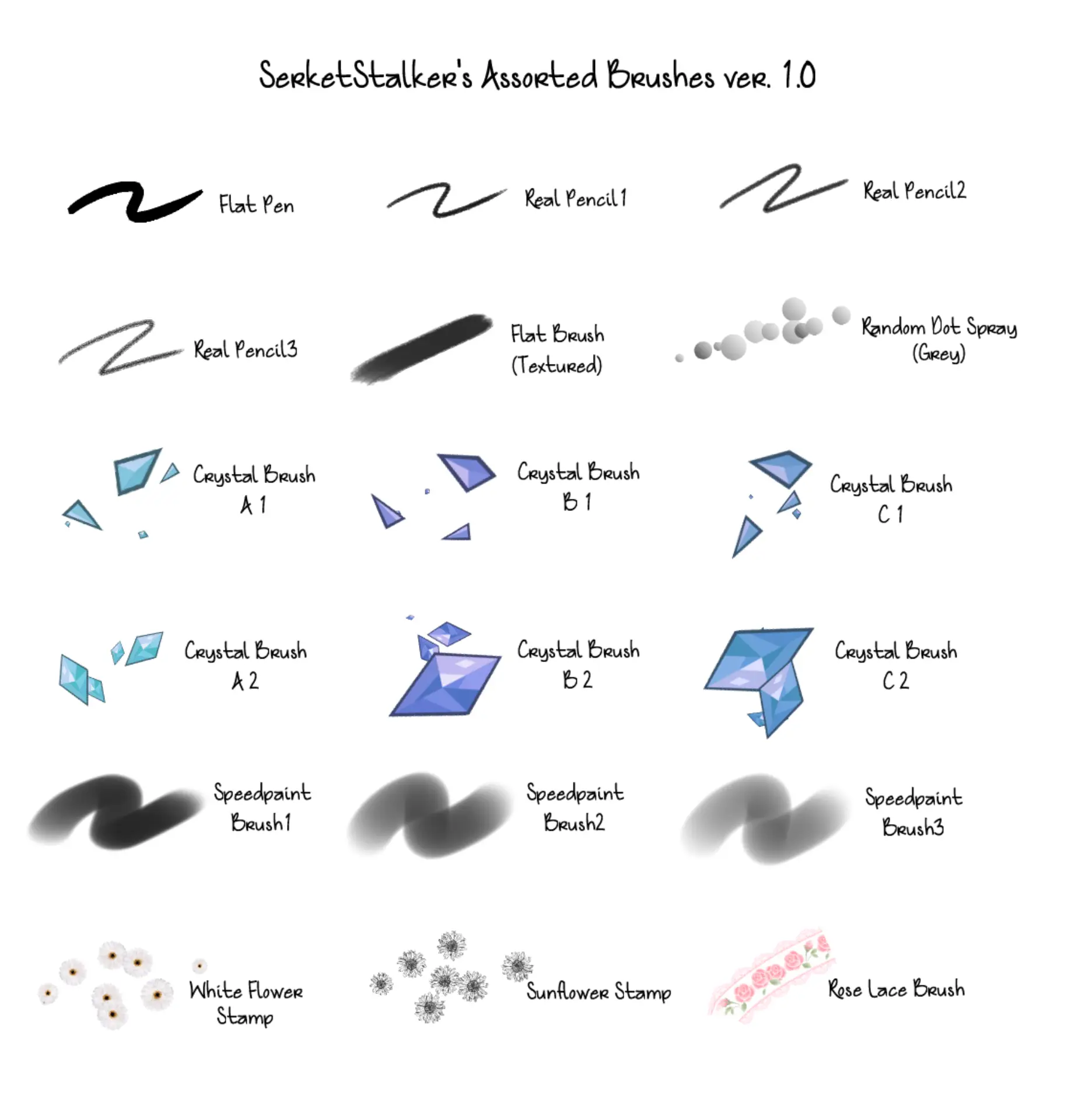
Want a set of brushes by which you can draw a variety of things? It is time to use SerketStalker’s Assorted Brushes.
Packed with 18 powerful brushes, this set is a lot useful in whatever thing you draw.
These are some of the best Clip Studio Paint brushes for general use.
Although it is a comprehensive set of brushes, all the brushes included in this set give a natural painting feeling and are quite useful in drawing any scenario.
Yes, you read it correctly!
By using this set of Clip Studio paintbrush, you can draw dots, lines, crystals, or have a spray like paint feeling on the canvas.
Whether you have just begun to draw or you are an expert artist, you may use these brushes.
Lapinbeau’s Clip Studio Paint Brush Pack 2
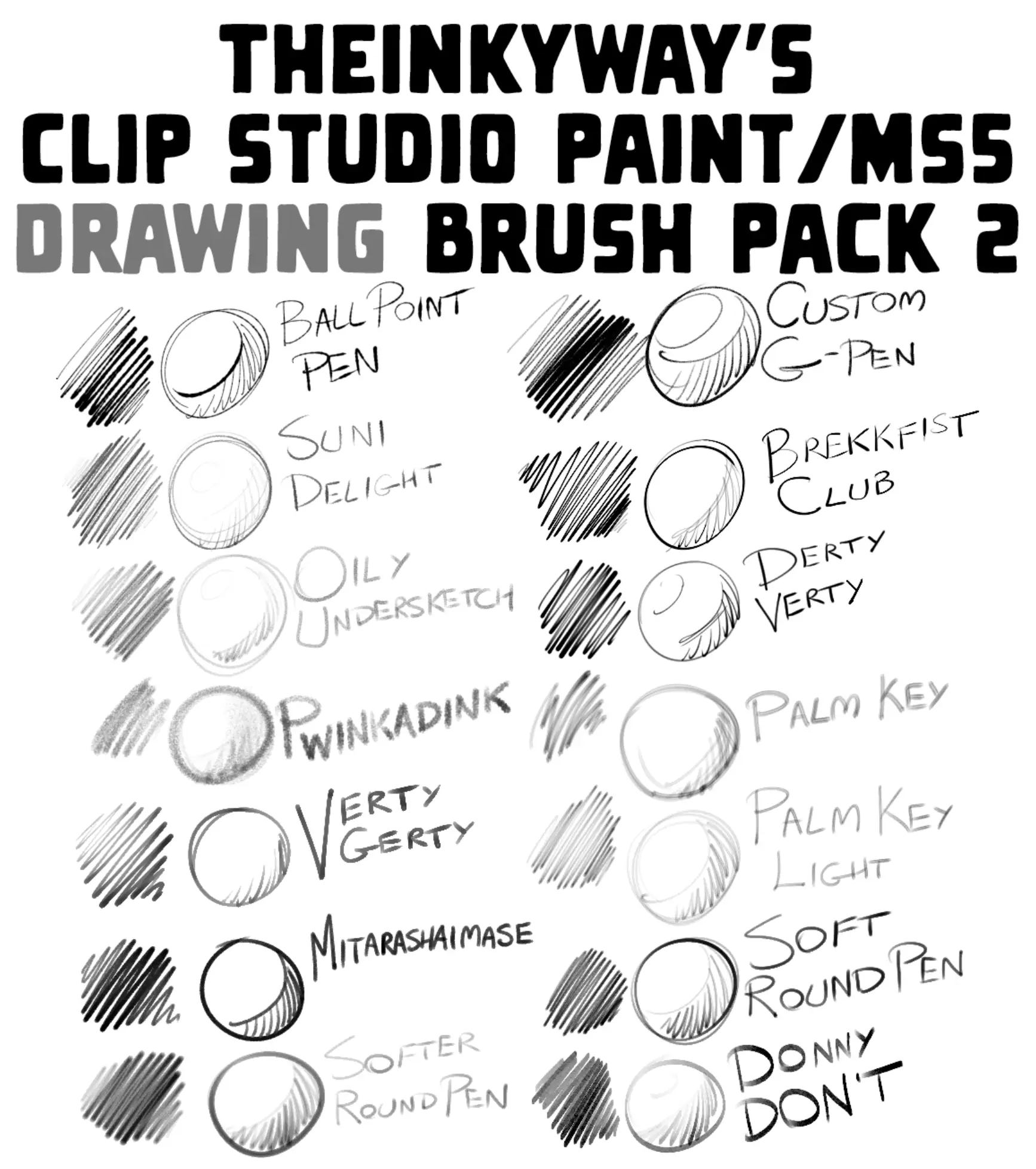
It is another free brush set you may use for Clip Studio Paint.
These CSP paint brushes are great for a lot of different uses.
Packed with a lot of unique brushes like ball point pen, oily under sketch, verty gerty, softer round pen, custom G-pen, brekkfist club, palm key, and palm key light, this brush set gives a real drawing experience.
DAUB Brushes
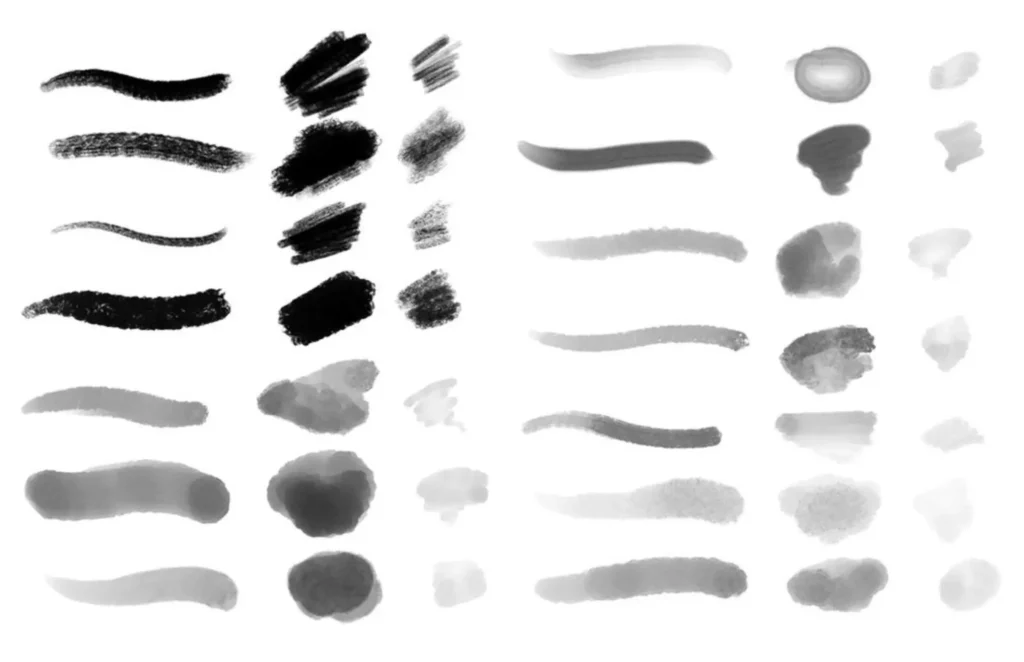
It’s always nice to find some solid, free CSP brushes.
It is packed with 20 brushes that you may use for Manga Studio as well as Clip Studio Paint.
This medium-sized set has some of the best free brushes for Clip Studio Paint.
With these brushes, you can go for oil sketches, pencil sketches, ink paints, or watercolors.
Overall, these are just some nice and good Clip Studio brushes.
It is a simple set of brushes that you can use in simple and general drawings.
Loose Inkers
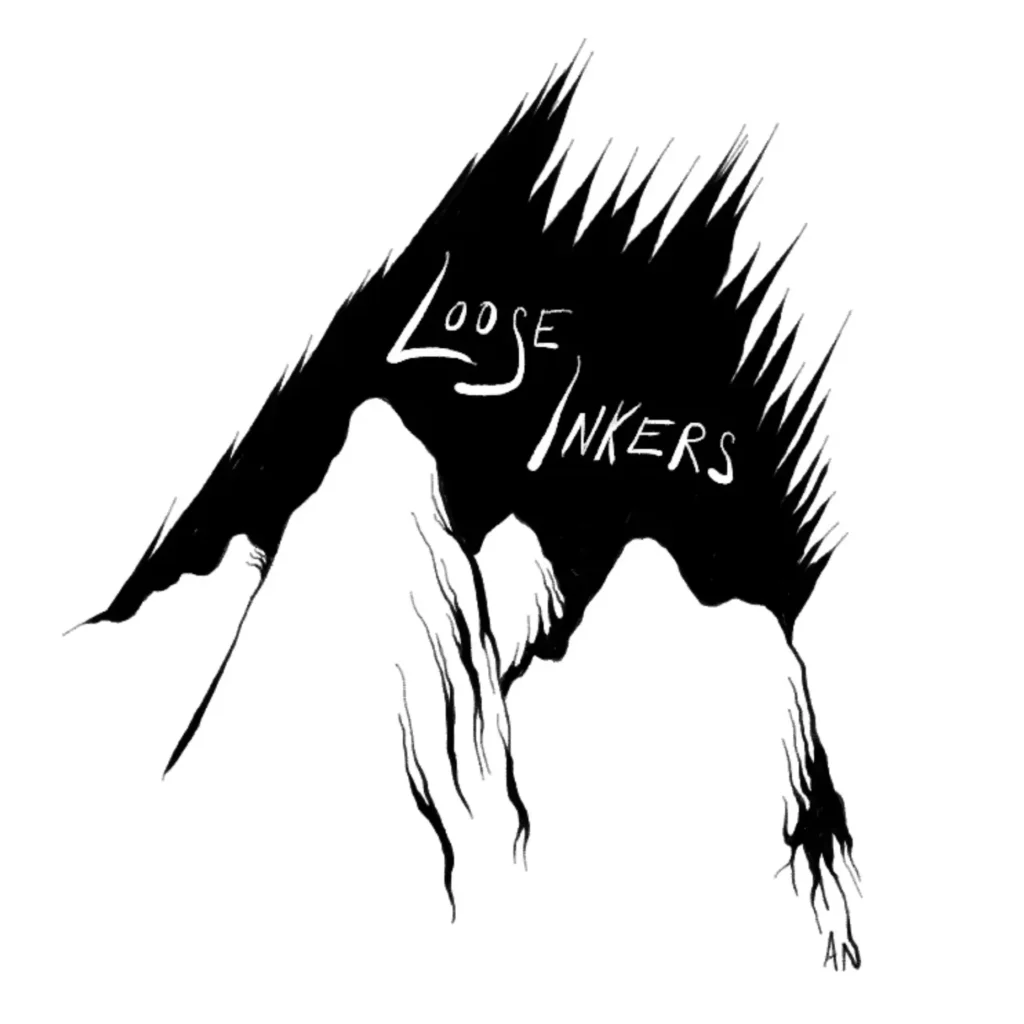
The next Clip Studio Paint free brushes in our list include Loose Inkers.
It’s among the best CSP brushes for that customized, inky look.
If you want to practice digital inking, no matter if you are a beginner or an expert artist.
This brush for Clip Studio Paint is specialized for inking drawings for illustration.
You can use this set of the brush. It feels the same way as you are drawing on paper.
So what’s stopping you? Go for this Clip Studio brush download.
Velda’s Inking Brushes
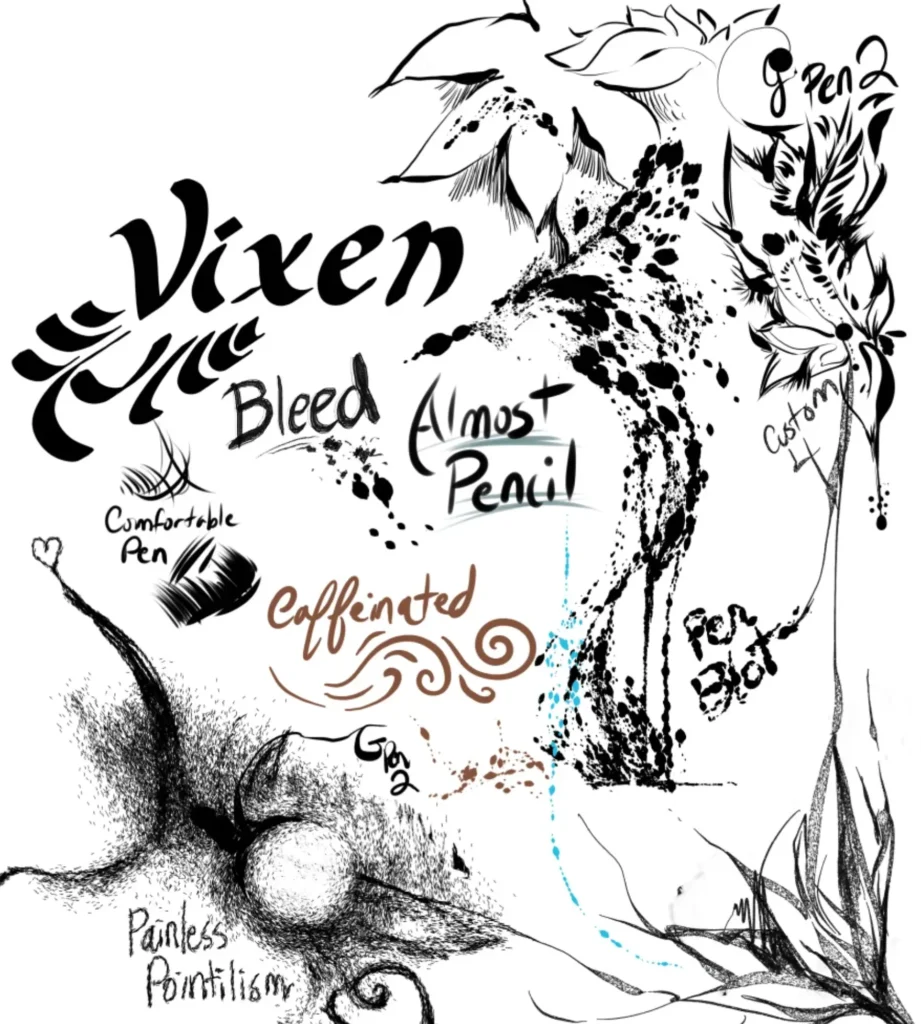
Another interesting yet useful inking brush set is Velda’s Inking Brushes.
There should be no problem getting into these good Clip Studio brushes.
It is available in free and paid versions. So why not just go for the Clip Studio Paint brush download!
TheInkyWinly Brushes
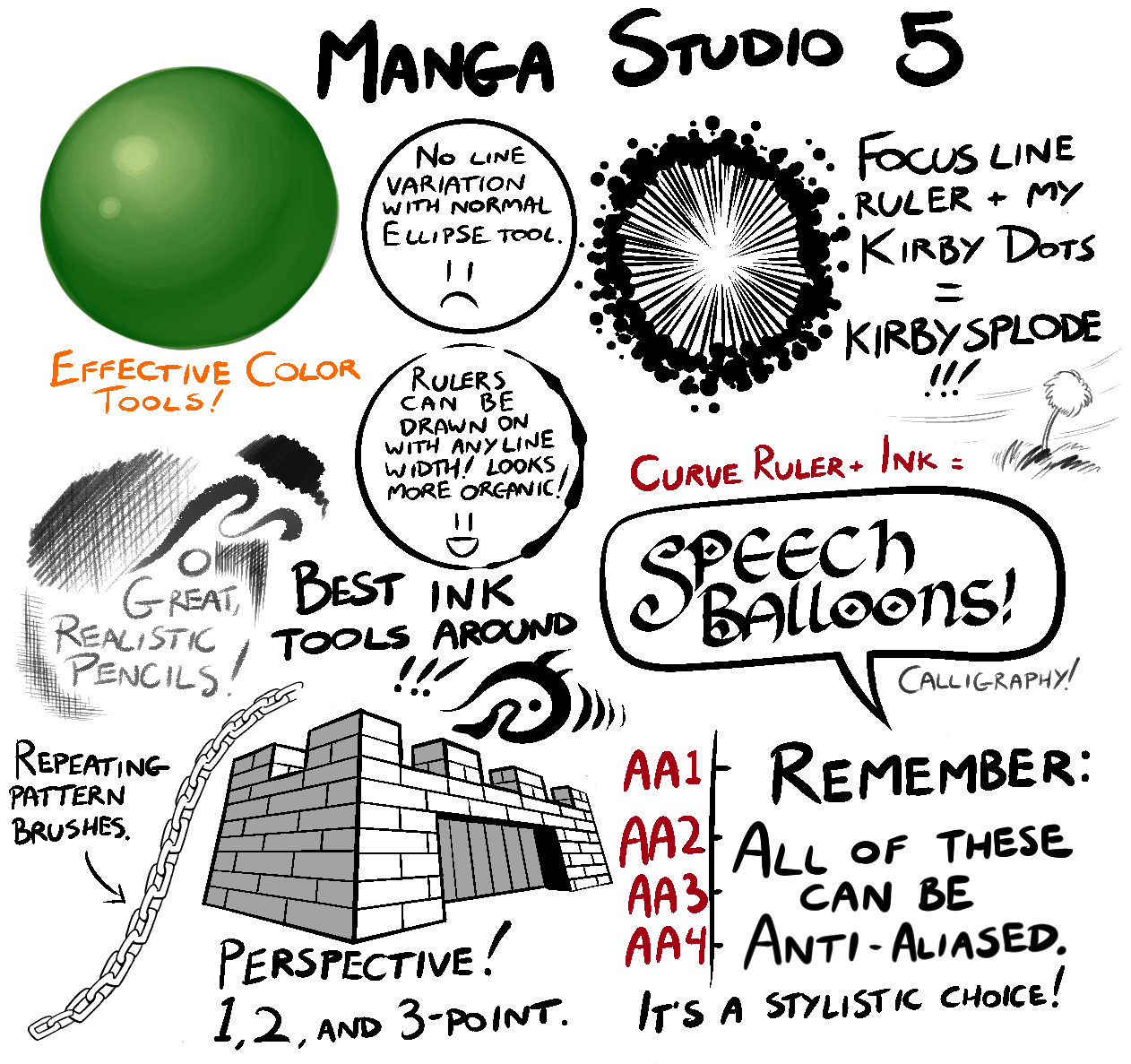
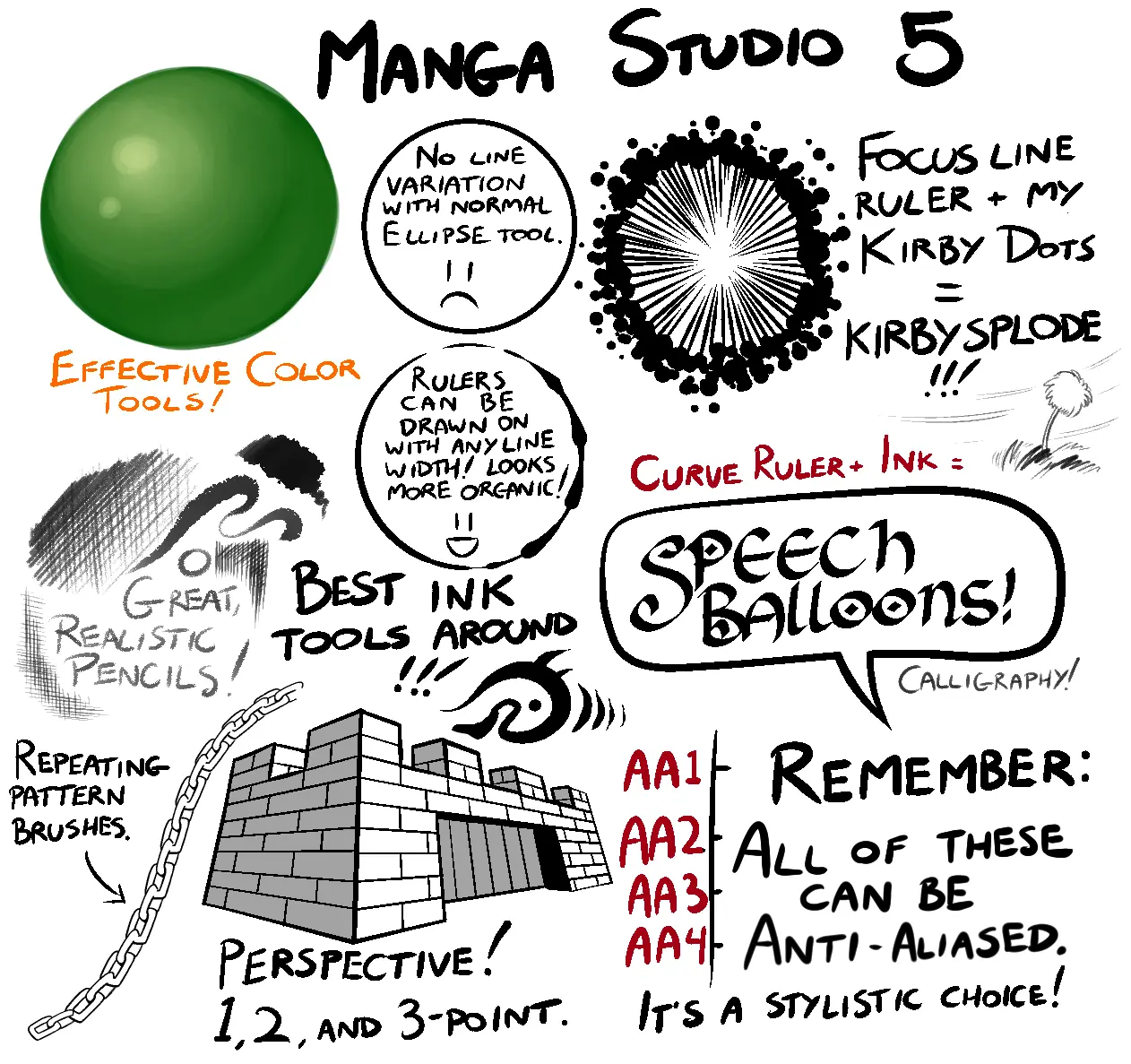
If you want to do calligraphy in Clip Studio Paint, TheInkyWinky brushes are for you.
These beautiful free brushes for Clip Studio Paint are available with no hassle to get started on your beautiful lettering.
They are the best brushes to use if you want to experience calligraphy in digital art.
Not only this, but TheInkyWinky brush set also includes some general drawing brushes as well.
The best part? Its calligraphy brushes are so unique and versatile that I have never seen such types of brushes before that are also available free of cost for Clip Studio Paint.
An easy choice with these free Clip Studio brushes.
So, what are you waiting for? It is time to use TheInkyWinky Brushes!
Painting & Blending Brushes
BrotherBaston Brush Pack
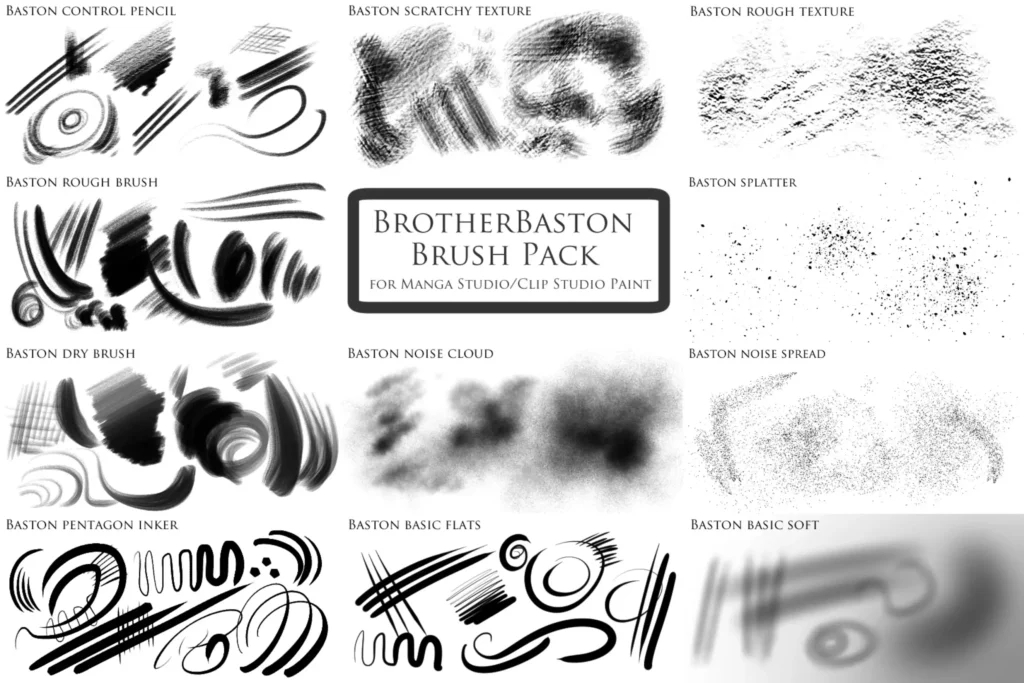
Looking for the best Clip Studio Paint brushes for general use?
Whether you are working on digital paintings or digital illustrations, the BrotherBaston Brush Pack is for you.
Packed with a huge collection of pencils, pens, and cloud brushes, you can get everything you want in paintings with this set of brushes.
Shrineheart’s Mega Pack
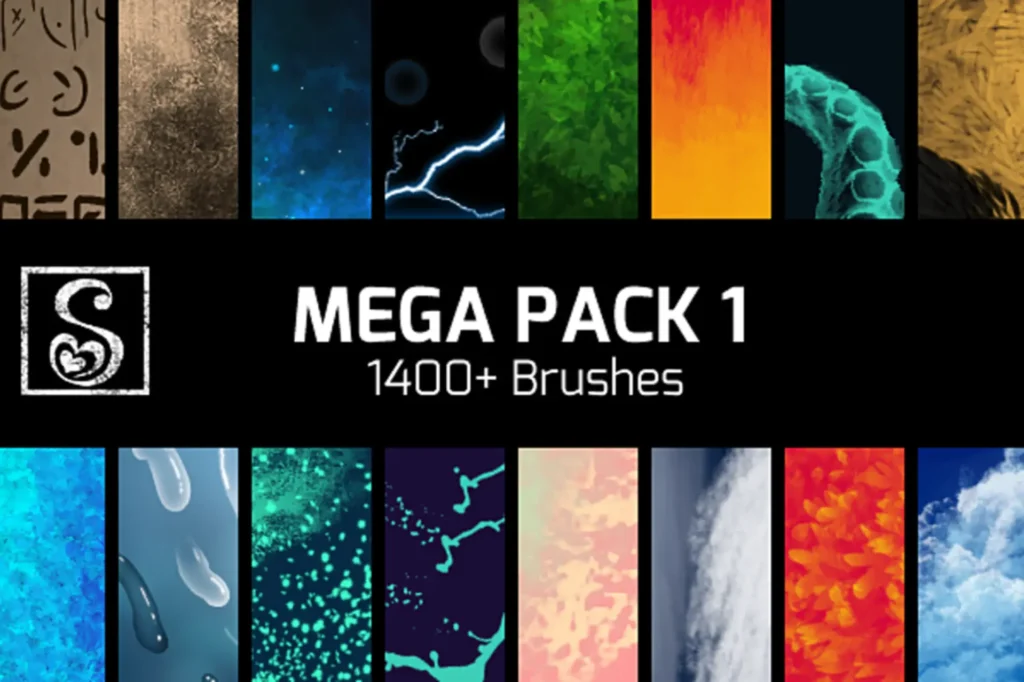
Shrineheart’s Mega Pack is, indeed, a mega pack of brushes. Better yet, they are free CSP brushes, and make a great starter pack to download.
It contains more than 1400 paint brushes.
You’ll find some of the best brushes for Clip Studio Paint here.
From color mixing to applying paint, this set of brushes has got it covered!
Free Sample Pack
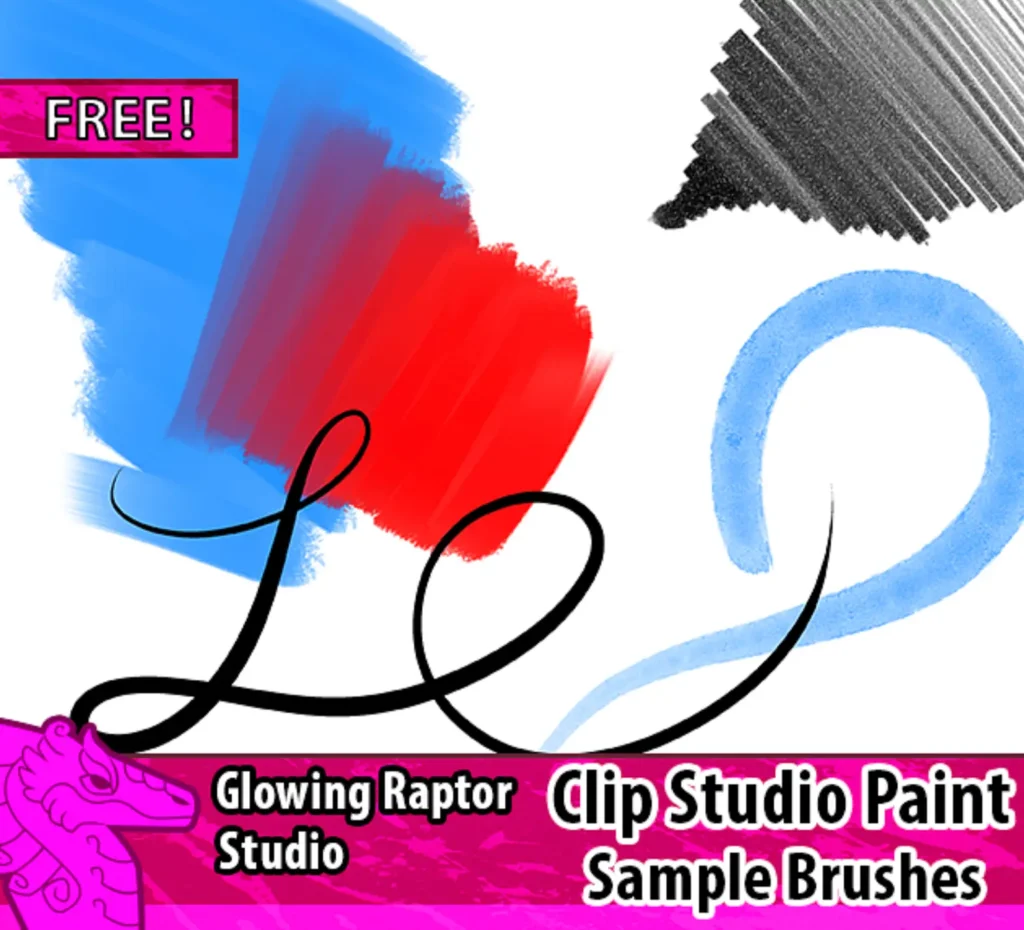
This free sample pack is specifically designed for drawing in Clip Studio Paint.
There is a brush for Clip Studio Paint for almost any occasion in the pack.
All brushes of this pack can be used at any stage of drawing in CSP.
Brush Set by Martinacecilia Pack 1
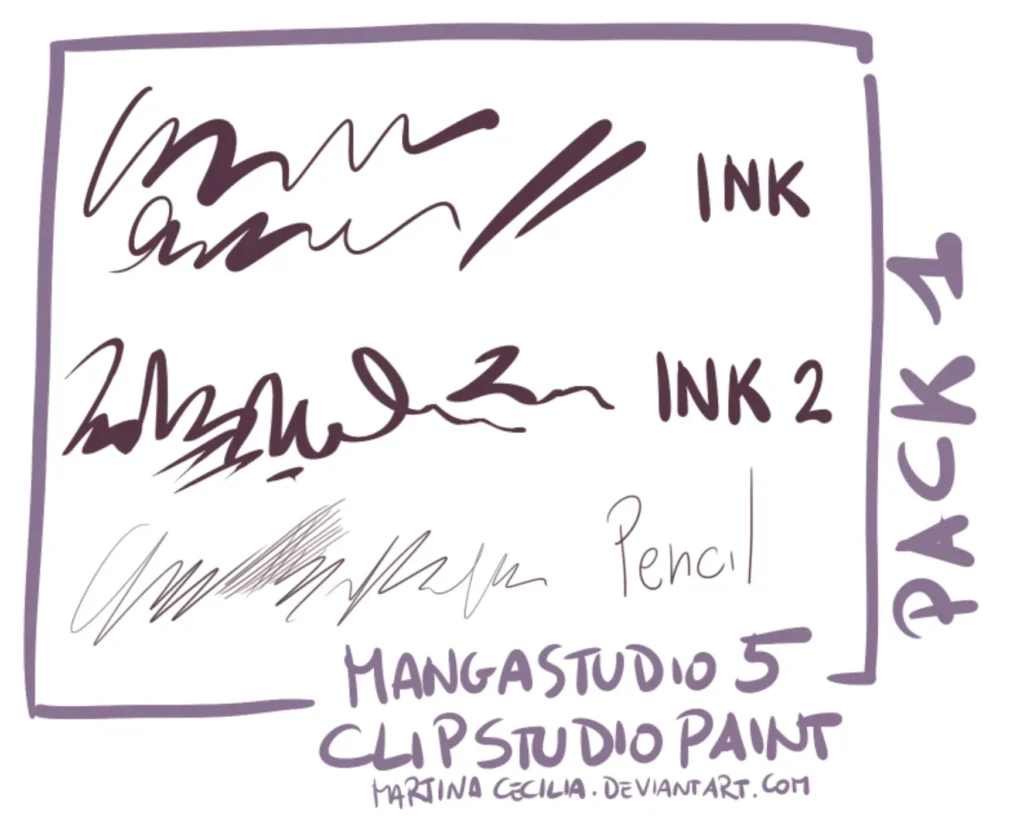
This pack includes two ink brushes and a pencil brush. A nice and simple set of Clip Studio brushes.
If you’re just looking for more CSP painting brushes to increase your options, this is a solid choice.
Brush Set by Martinacecilia pack 2
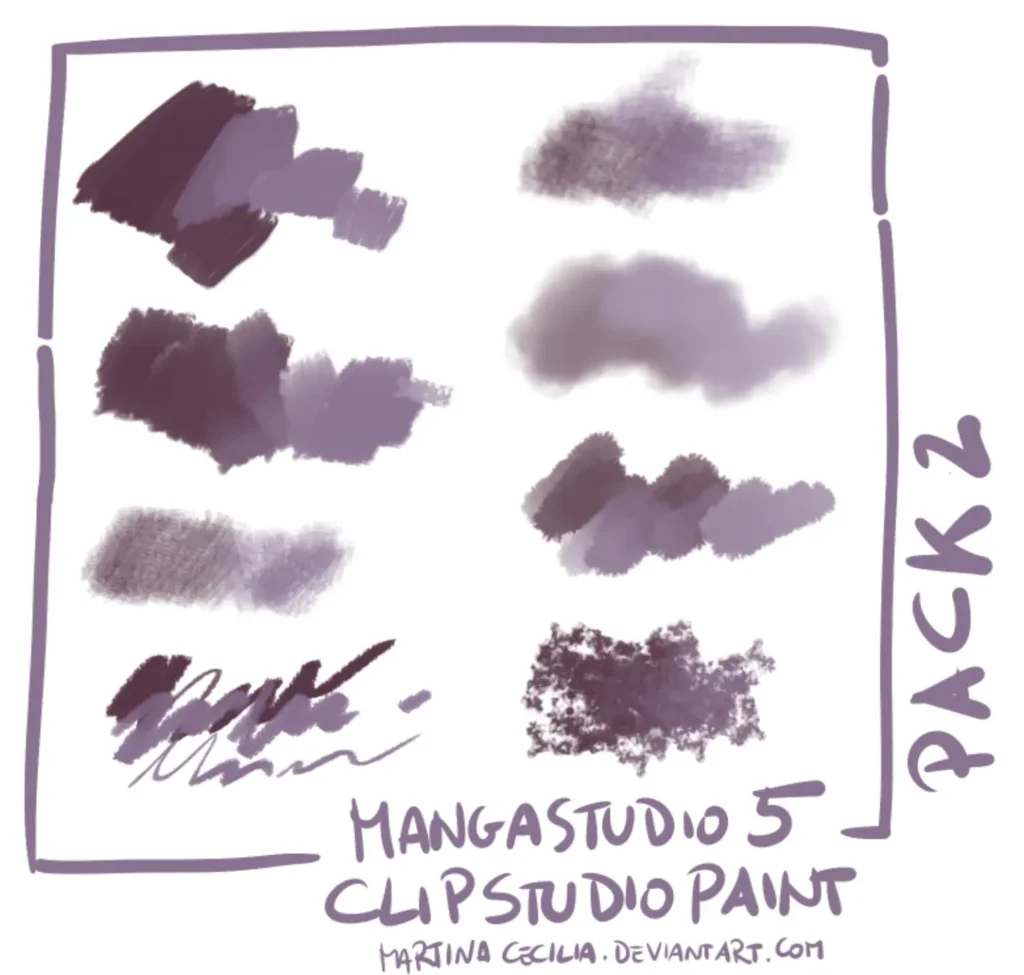
The next Clip Studio Paint free brushes is the Brush Set by Martinacecilia.
These CSP free brushes are perfect for digital painting.
It was developed by a user Martinacecilia. This brush set works for both Manga Studio and Clip Studio Paint.
This is the reason that by using Brush Set by Martinacecilia, you can get the classic Manga Studio feels.
With this set of brushes, you can easily draw repeating textures including textile patterns, chain patterns, flowers, or other accessories – all with a single stroke.
It’s one of the better sets of Clip Studio Paint texture brushes.
Each brush of this set can give you a feeling that you are painting with oil colors.
They are quite convenient to use as well.
So, if you are a beginner in the field of digital painting, you can definitely use this set of brushes.
In short, this set of Clip Studio Paintbrush is one of the best brushes, highly recommended by the graphic designers.
As they give a natural feeling of drawing, you should definitely give them a try!
Brush Set by Martinacecilia Pack 3
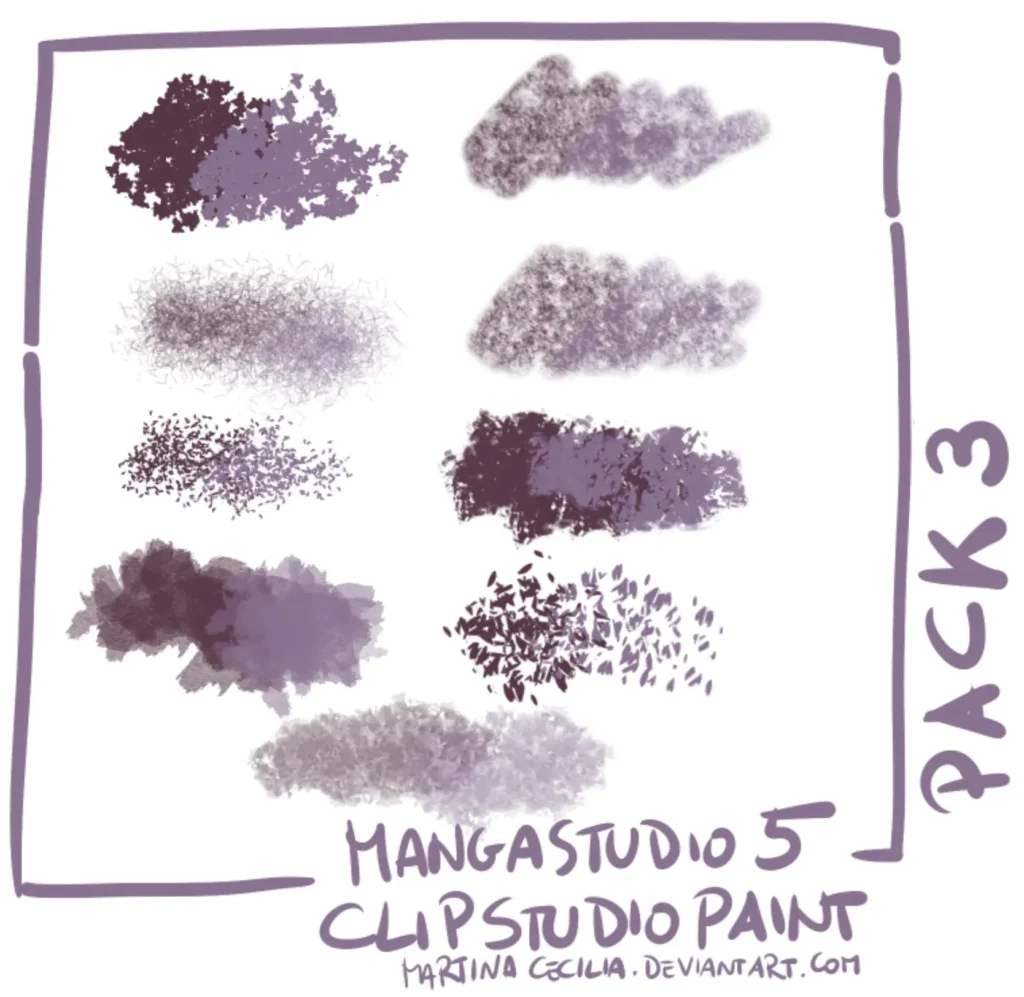
Collection of 9 brushes. These Clip Paint Studio brushes cover a nice variety of natural textures.
Even some of the best brushes for Clip Studio Paint can be found here.
These brushes are perfect to paint leaves and bushes.
Escente Clip Studio Paint Brushes
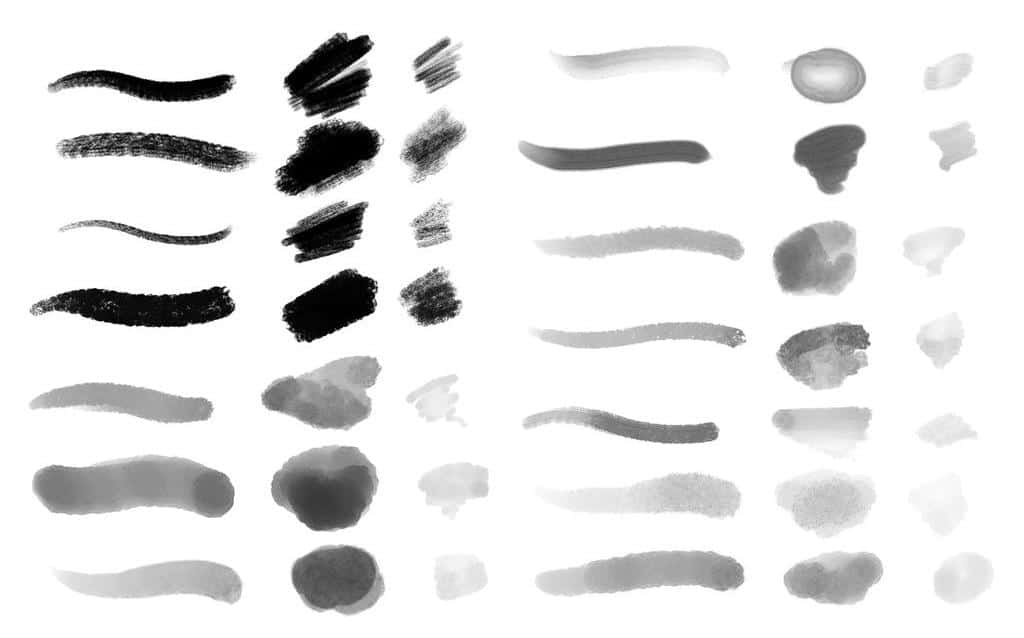
Sometimes you just need a solid, versatile set of Clip Studio Paint brushes.
Escente Clip Studio Paint Brushes is another set of brushes you may use in Clip Studio Paint.
It contains a diverse variety of brushes – each giving a different experience.
Some of them are great Clip Studio Paint texture brushes, while others are simply some of the overall best brushes for Clip Studio Paint.
Its brushes include pen, oil, clear, and acrylic.
Porforever’s Custom Brush Set
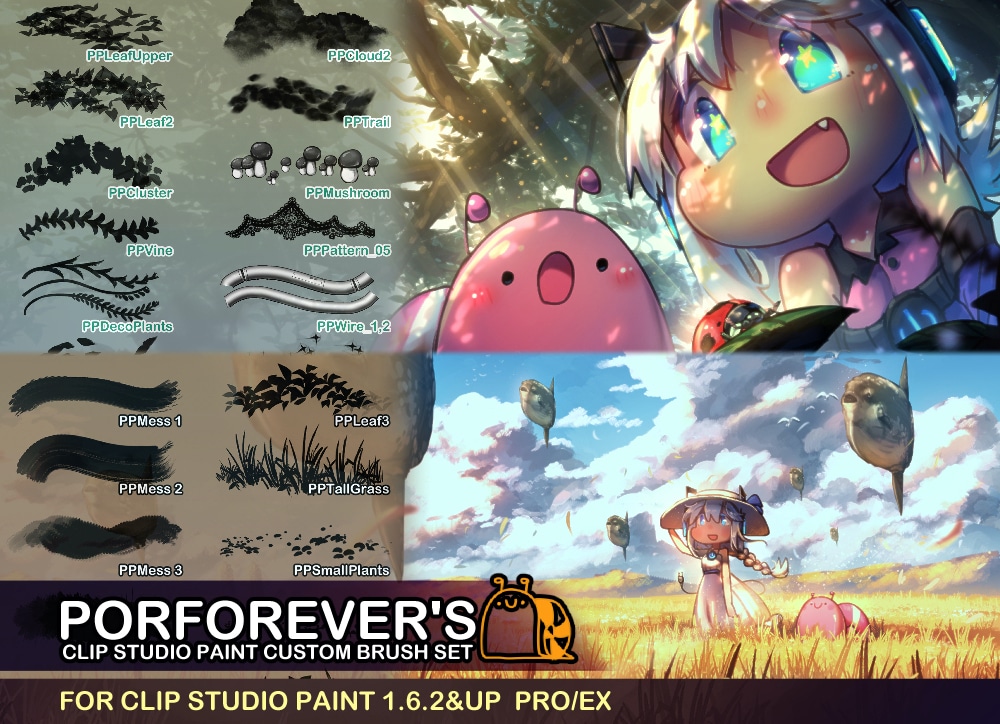
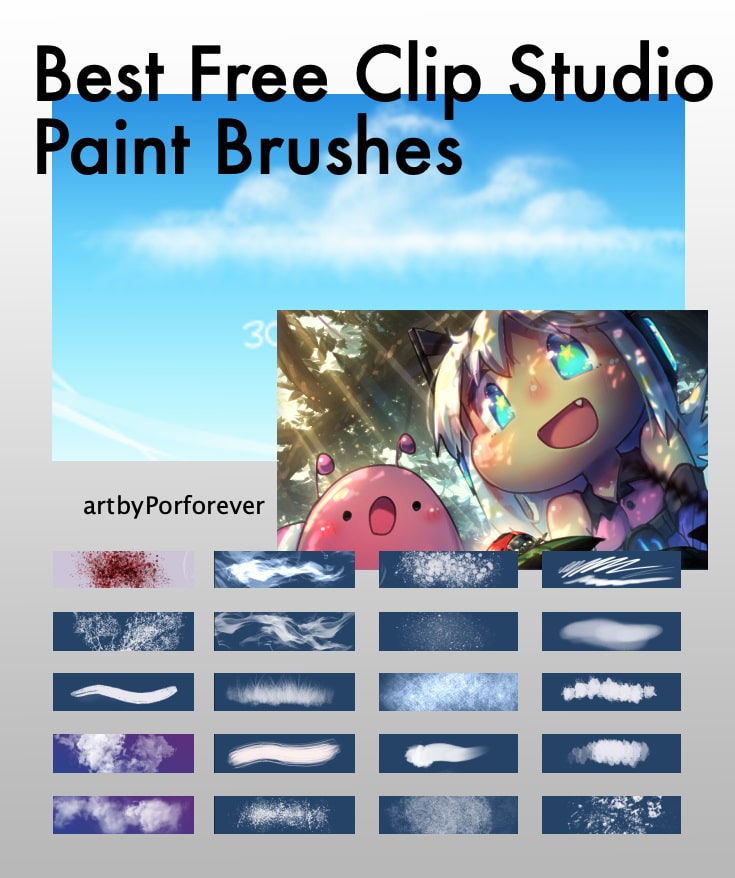
Another set of Clip Studio Paint brushes is Porforever’s Custom Brush Set.
While not necessarily the best CSP brushes, it’s still a solid pack.
Each brush of this set may allow you to create drawings of the sea and marine life including fish, stars, water, bubbles, bushes, leaves, etc.
For the variety alone, these are some of the best brushes for Clip Studio Paint.
Dry Brush Pack
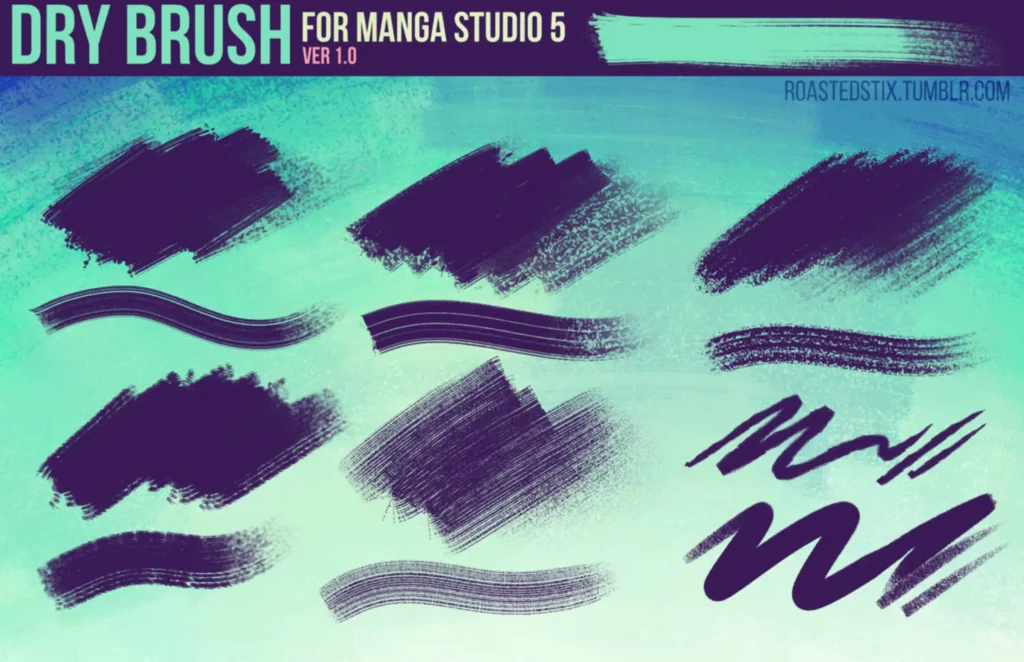
Another useful Clip Studio Paintbrush set is the Dry Brush Pack that includes a variety of dry brushes to add texture to your paintings.
It’s a nice set of free Clip Studio Paint brushes that are perfect as a dry brushing set.
Mama Madzia Brushes
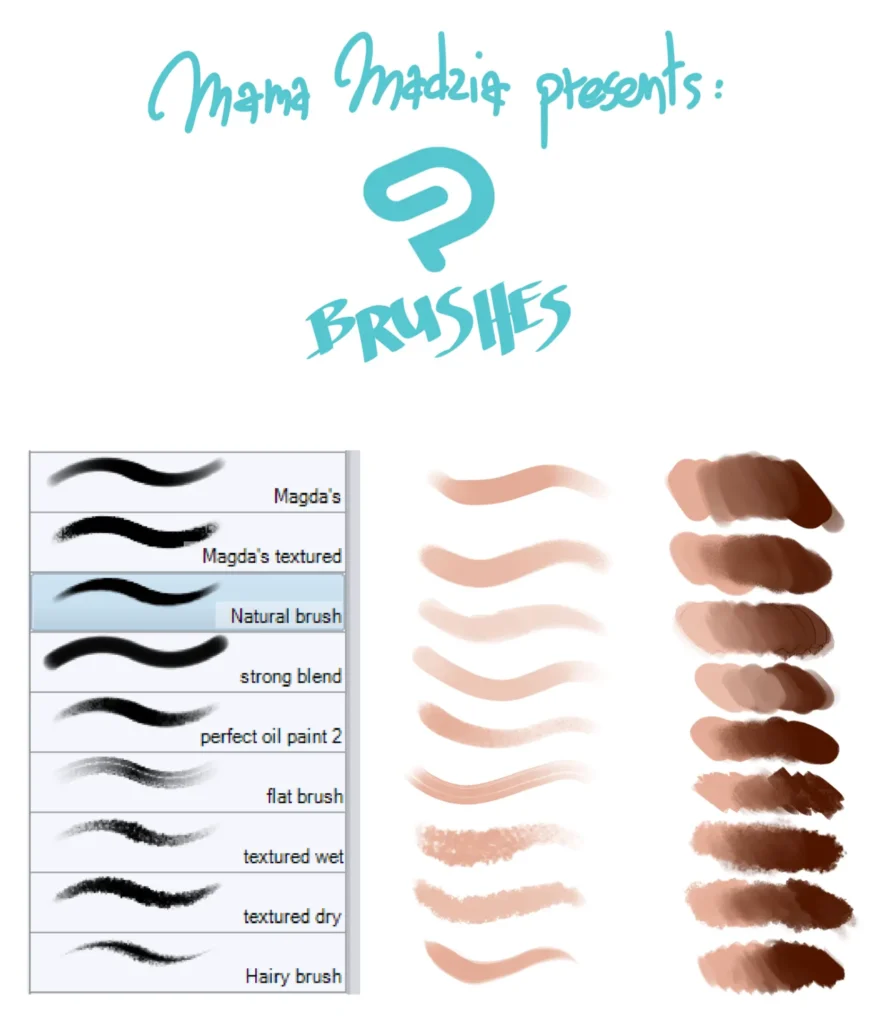
Another set of brushes is Mama Madzia Brushes that offer beautiful blending and coloring effects.
Better yet, they are free CSP brushes!
It’s a valuable set of Clip Studio free brushes that can help really hit those realistic textures and feel of paint.
These include:
- Magda
- Natural Brush
- Strong Blend
- Textured Wet
- Textured Dry
- Perfect Oil Paint
- Hairy brush and much more!
Gouache Brushes
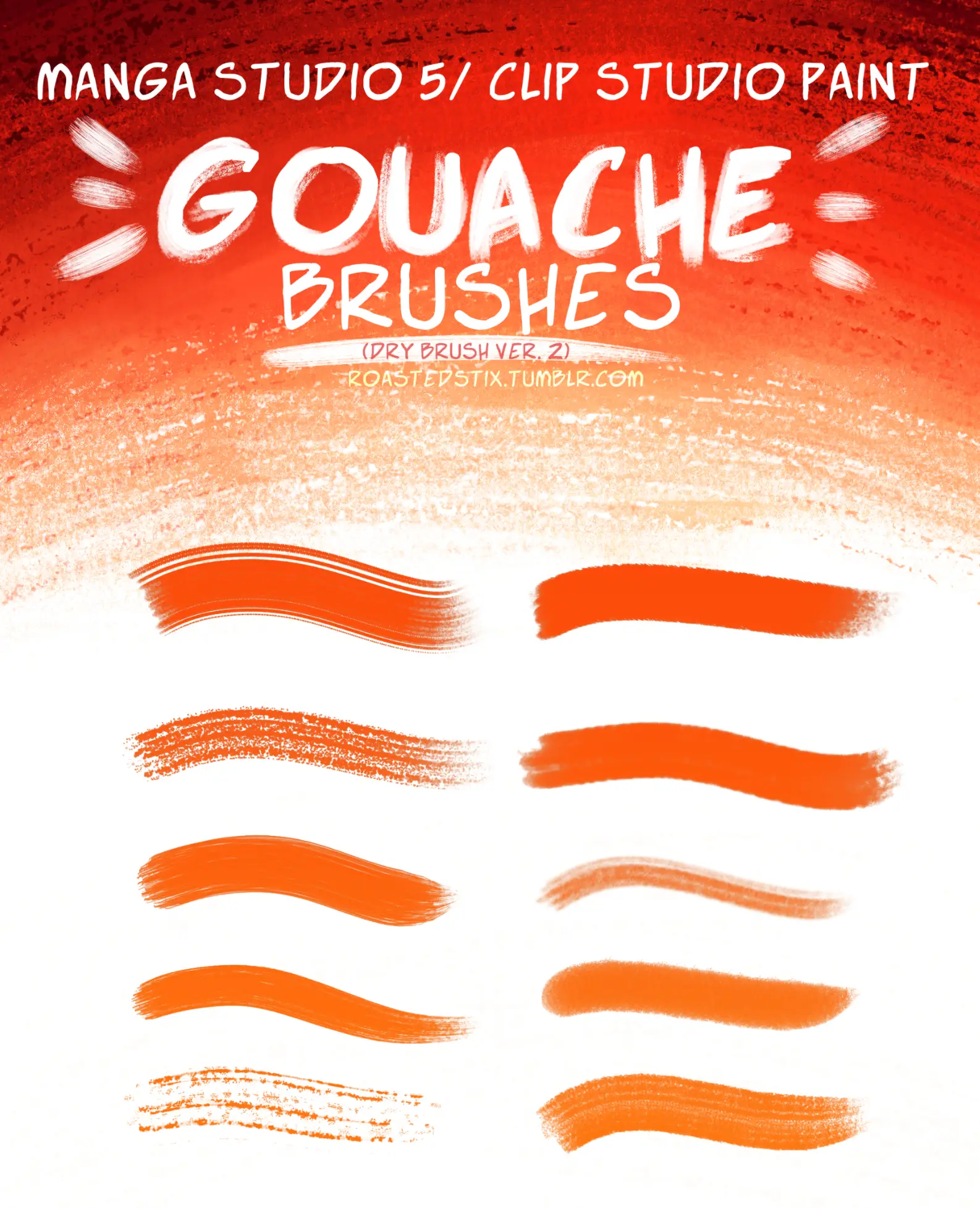
The next paintbrushes for Clip Studio Paint in our list is Gouache Brushes.
These brushes are an ideal option to use if you have already painted using gouache as a medium.
You can get your gouache style brush for Clip Studio Paint here and practice in both worlds.
Moreover, for those artists who have just stepped into the world of digital painting from traditional painting, this set works well for them.
This pack included 10 brushes.
Yes, these are free Clip Studio Paint brushes, but there’s also so much more to these.
Most artists who convert from traditional drawing to digital drawing often are not happy with the results of digital brushes.
For such people, this set of brushes is perfect.
Each brush of this set blends color so smoothly that it feels like you are drawing and painting on a paper as you do in traditional art!
Basic Brush Set
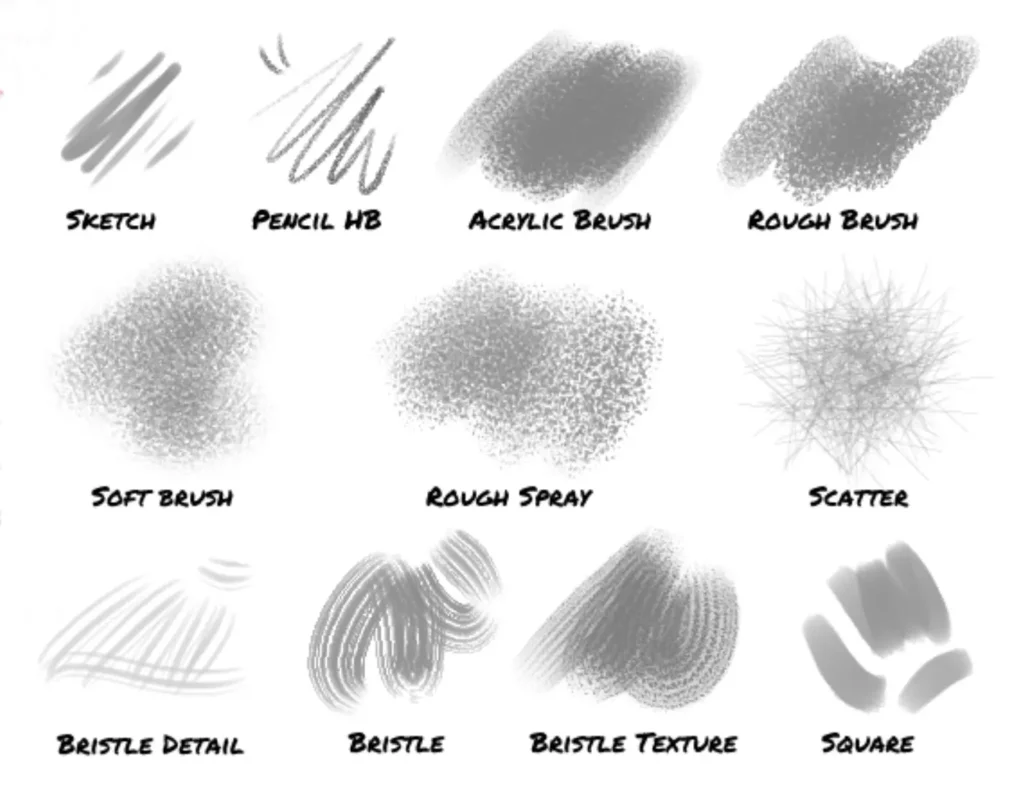
Another free brush set for Clip Studio Paint is the Basic Brush Set, packed with a variety of brushes.
These are some good Clip Studio brushes to get you started.
The brushes in this set are similar to the ones used in Adobe Photoshop.
So, if you are a digital illustrator and have practiced your art skills on Photoshop and now you have moved on to the Clip Studio Paint, it will not be difficult for you to use these brushes.
They behave just like Photoshop brushes.
Clip Paint Studio brushes are just as easy to use as other art programs’ ones.
Moreover, the pencil brushes of this set are made with real drawing pencil textures.
The Basic Brush Set includes:
- Acrylic brush
- Rough brush
- Soft brush
- Sketch
- Pencil HB
- Rough spray
- Scatter
- Square
- Bristle
- Bristle detail and texture
Each brush of this set can be customized and is available for free on Gumroad as well as Cuberush.
Texture & Effect Brushes
Clip Studio Paint Brush Pack # 2
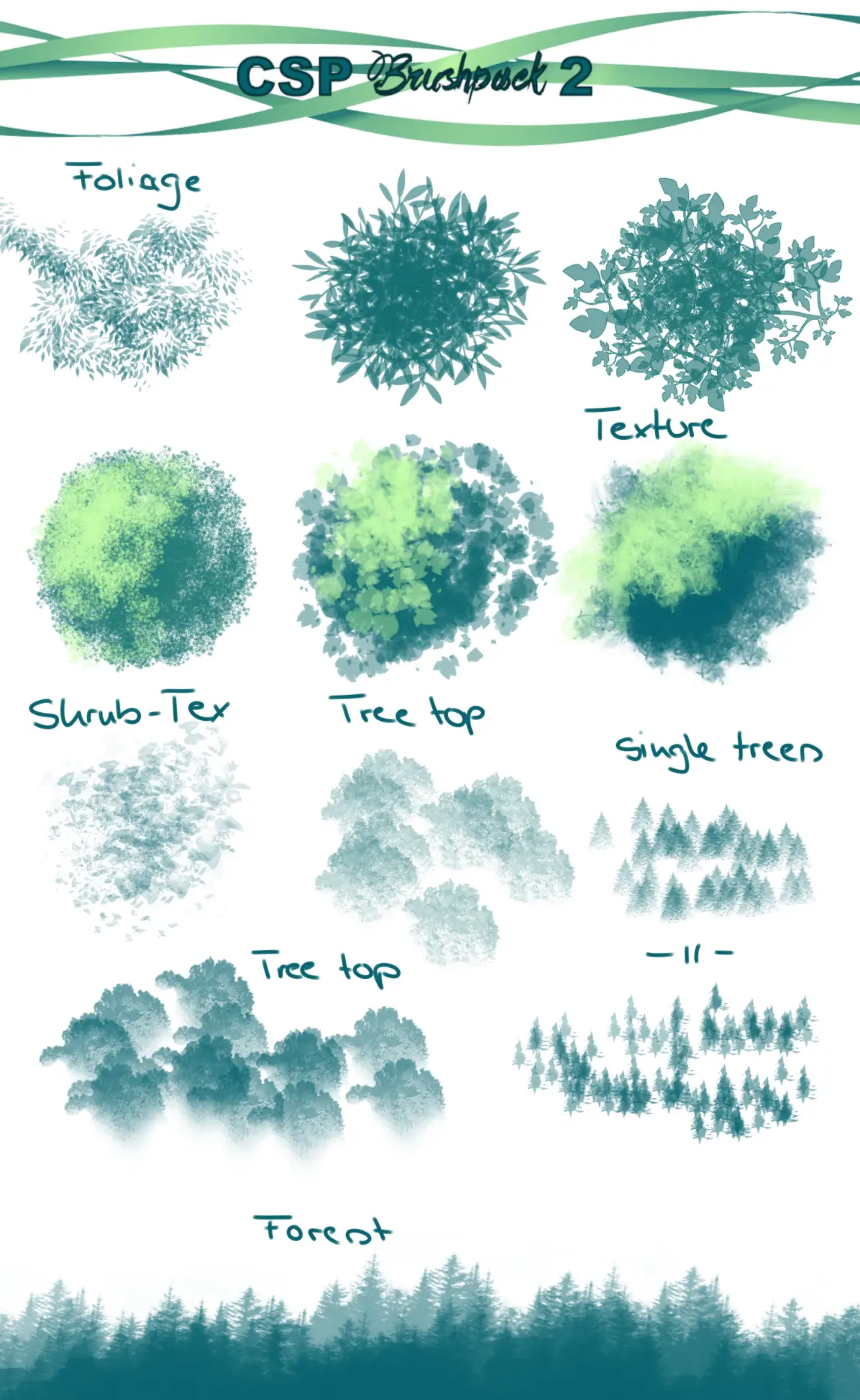
Another set of brushes that may give you more control over your drawing and painting is Clip Studio Paint Brush Pack # 2.
This brush pack comes with several brushes, for example, forest brush, tree brush, sparkle brush, treetop brush, and foliage brush.
There’s no problem counting this among the best free Clip Studio Paint brushes.
As the name implies, all these brushes behave exactly like their names.
For example, a tree brush is used to draw trees in your painting, a forest brush is used to draw a forest, and a sparkle brush is used to add a little sparkle to your paintings.
Whatever the type of brush is, they blend beautifully in a painting.
So, you must give these a shot!
Clip Studio Paint Brushes by iridescentdelirium
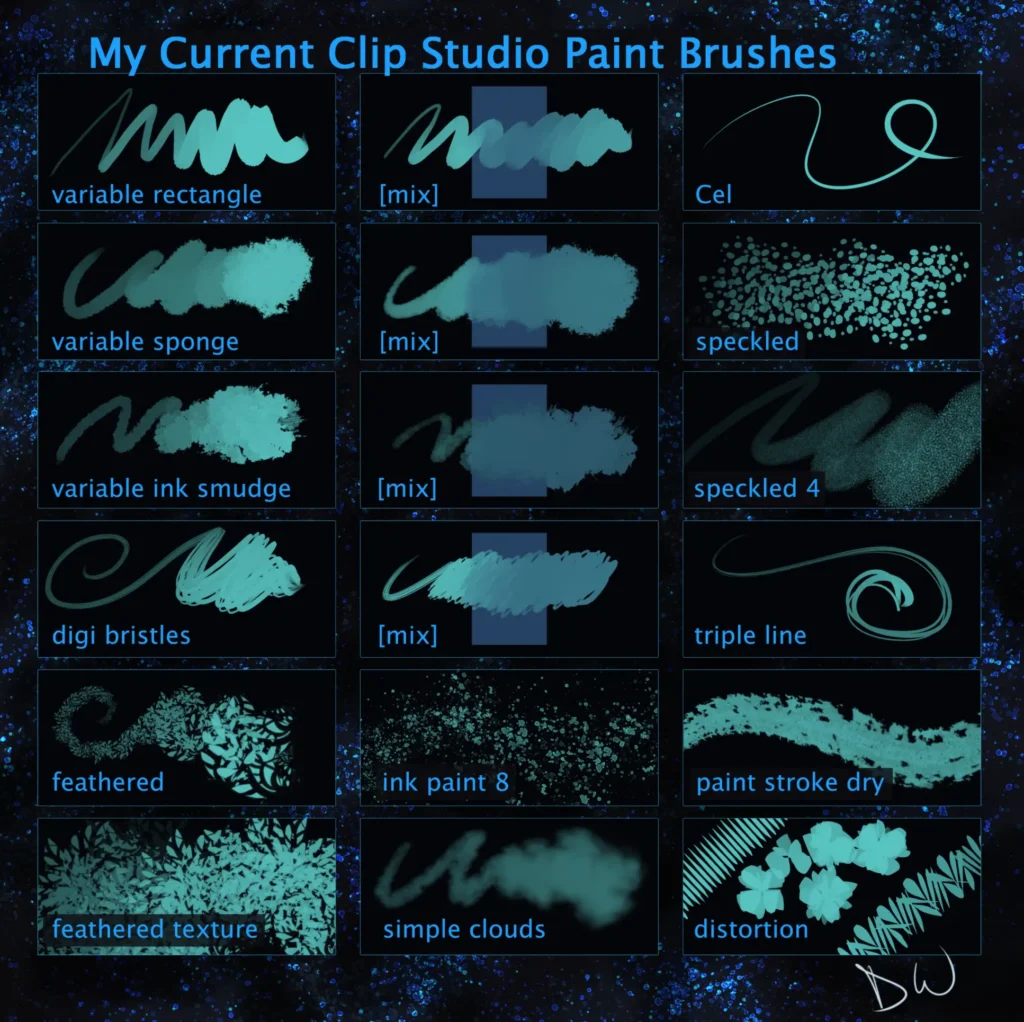
Want to draw simple to complex characters? Use Clip Studio Paint Brushes by iridescentdelirium.
It’s an easy to use pack of some of the best free CSP brushes available.
These brushes are perfect to be used whether you are a beginner or you want to be better at your drawing skills.
It is packed with a massive variety of brushes including variable sponge brushes, variable rectangle brushes as well as variable ink smudges.
CSP free brushes such as these can be used in a huge array of contexts.
Whether you want to draw landscapes, seascapes or a scene at night, these brushes are perfect to be used.
YETTYYEN Brush Pack
Looking through for the best CSP brushes?
If you are looking for a brush set that gives realistic results while drawing scenes of nature, YETTYYEN Brush Pack is for you.
One of the best free Clip Studio Paint brushes for painting nature scenes.
Clip Studio Paint Brushes by DEA-89
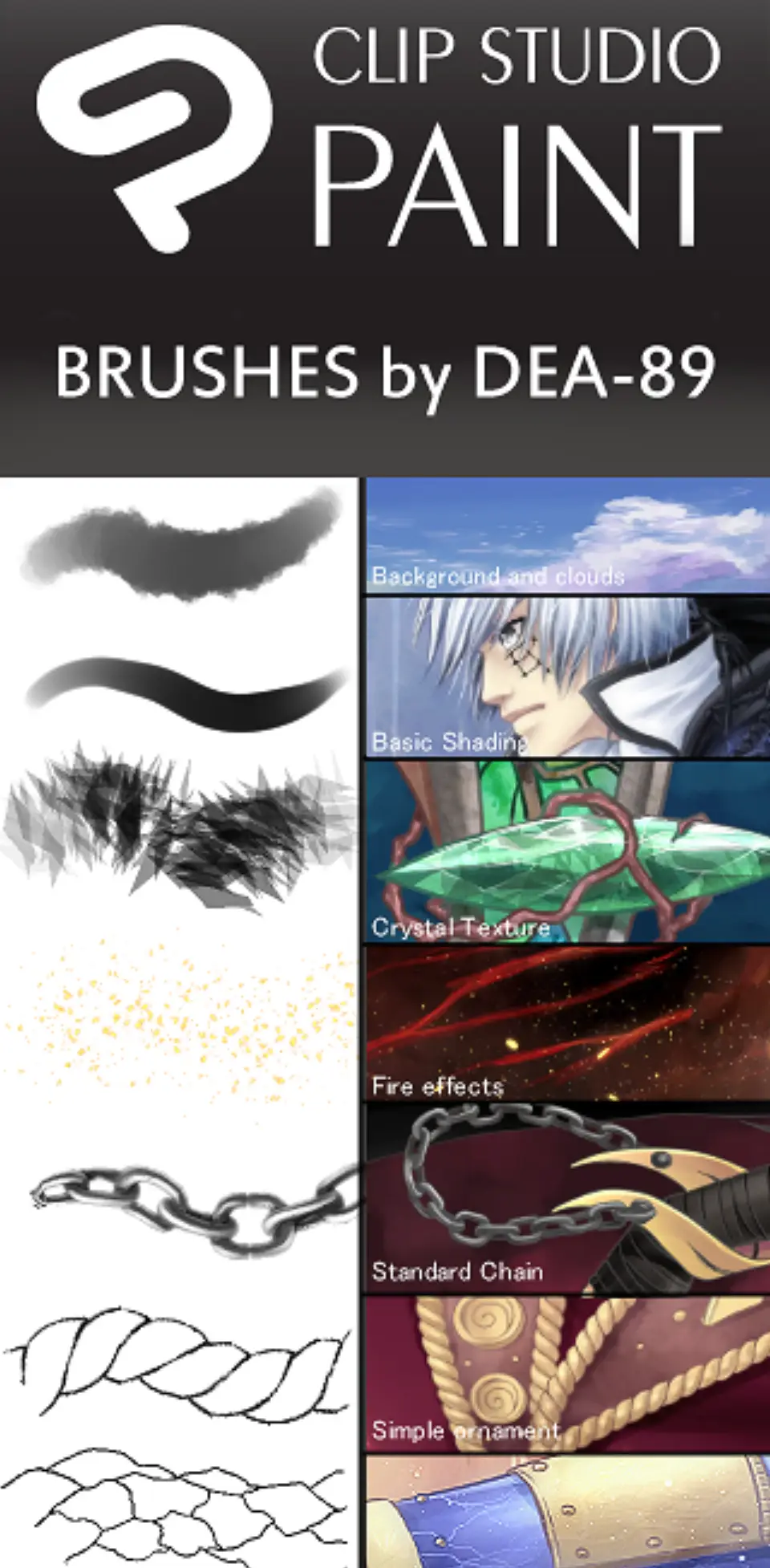
If you want to have a paintbrush-like feel, you must use Clip Studio Paint Brushed developed by DEA-89.
It’s one of the best free brushes for Clip Studio Paint for broad use in a variety of different ways.
This set of brushes includes a great variety of brushes by which you can draw anything.
From drawing skies and landscapes to adding crystal texture and ornament-like shapes, this brush set is for you.
This pack includes brushes for drawing background and clouds, basic shading, crystal texture, fire effects, a standard chain, simple ornament, and water details.
Believe me, this is definitely a pack worth downloading.
There are a lot of the best Clip Studio brushes in this pack.
One thing that you must keep in mind while using this set of brushes is that you must have some experience of using the default brushes of Clip Studio Paint.
Why? Because at times, the brushes in this set become a bit tricky to use.
To become a master of using brushes of this set, you must know how to use Clip Studio paintbrushes.
Clip Studio Brushes and Action Collection
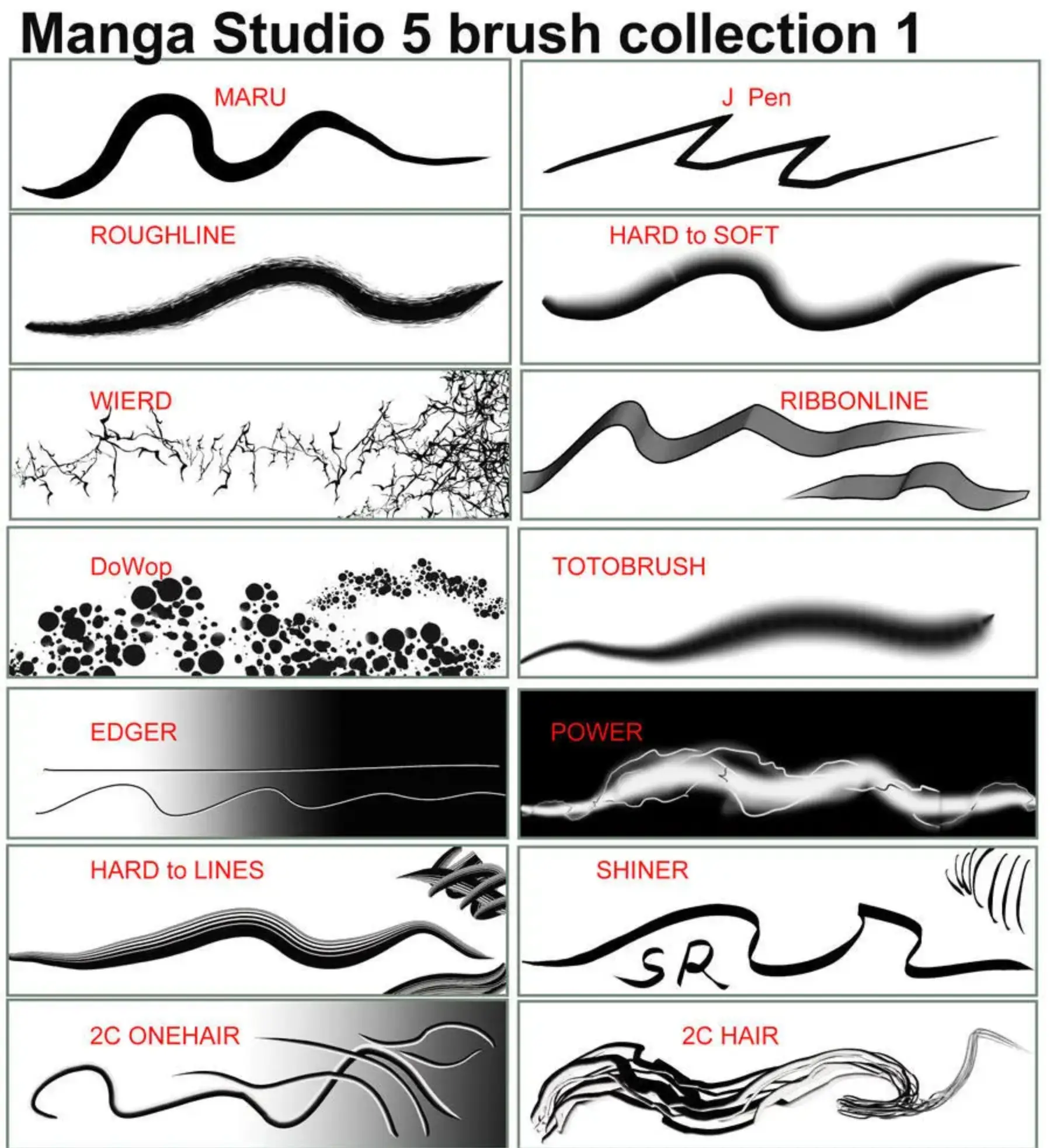
A collection of hundreds of brushes and actions. It’s a huge Clip Studio Paint brush pack with many options.
If you’re looking for sheer volume Clip Studio free brushes, this is a fantastic choice.
There are artistic filters included in the different automations.
DV Brush Set for Clip Studio Paint
Looking for an extensive set of CSP free brushes?
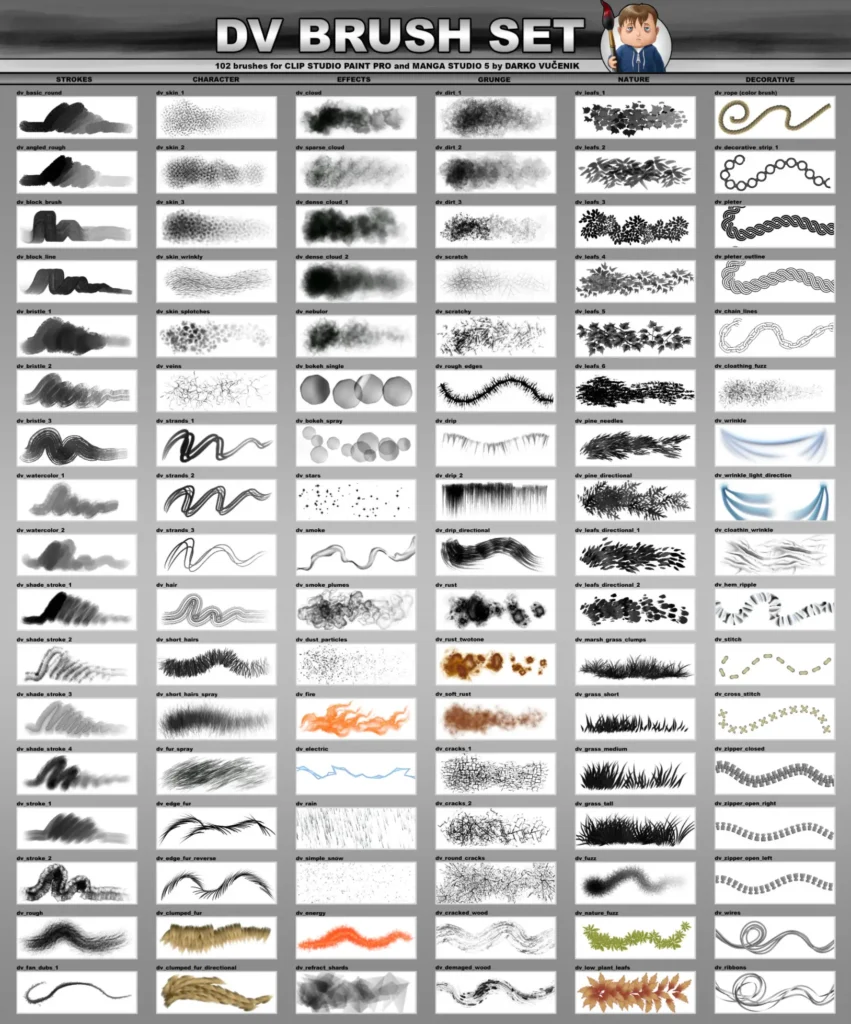
If you are looking for a big set of brushes that you may use in Clip Studio Paint, stop your search and start using DV Brush Set.
Here is another pack of clip studio paint free brushes with powerful color and blending techniques and it is the DV Brush Set for Clip Studio Paint.
Easily one of the better large sets of free brushes for Clip Studio Paint.
This is an amazing brush set that consists of five main categories with 17 brushes in each category.
The fine main categories of brushes that DV Brush Set offers include:
- Strokes
- Grunge
- Decorative
- Nature
- Character
Clip Studio Paint Brush Pack # 1
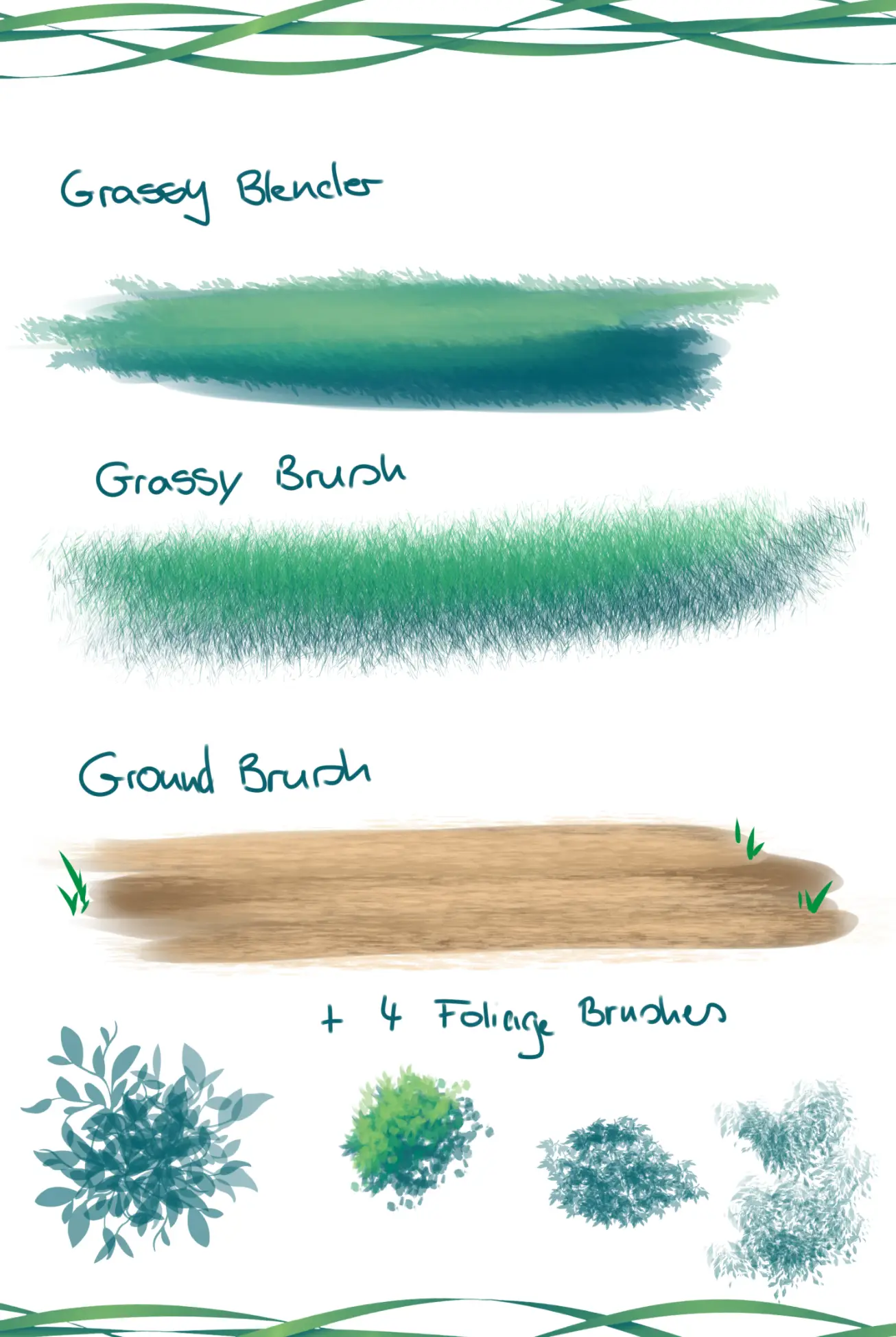
Another brush pack for Clip Studio Paint is the CSP Brush Pack # 1.
You can’t go wrong with this brush pack if you are looking for a solid variety pack of clip paint studio brushes.
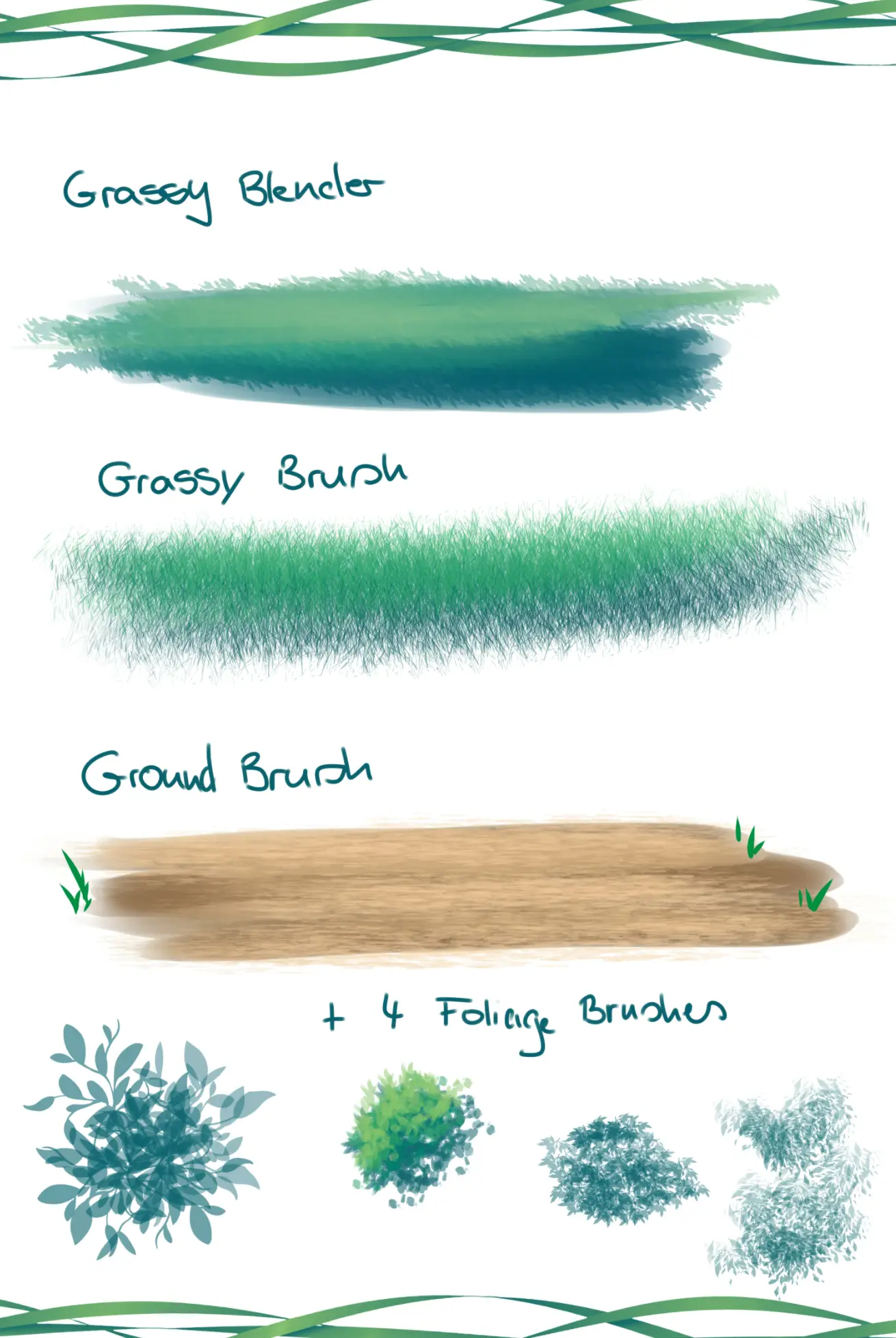
It includes a few brush styles from basic and grassy brushes to ground brushes.
It also includes four foliage brushes as well.
It’s got some of the best Clip Studio free brushes for foliage available.
Although this brush pack is small and contains a few brushes, all these brushes give a unique coloring effect, resulting in a natural result.
All brushes are completely free of cost and can be downloaded at any time you need.
If you have just begun to draw on a digital canvas, you can easily use this brush pack.
In fact, it is worth testing out.
Background Brushes
Cherry Blossom Clip Studio Brush Set
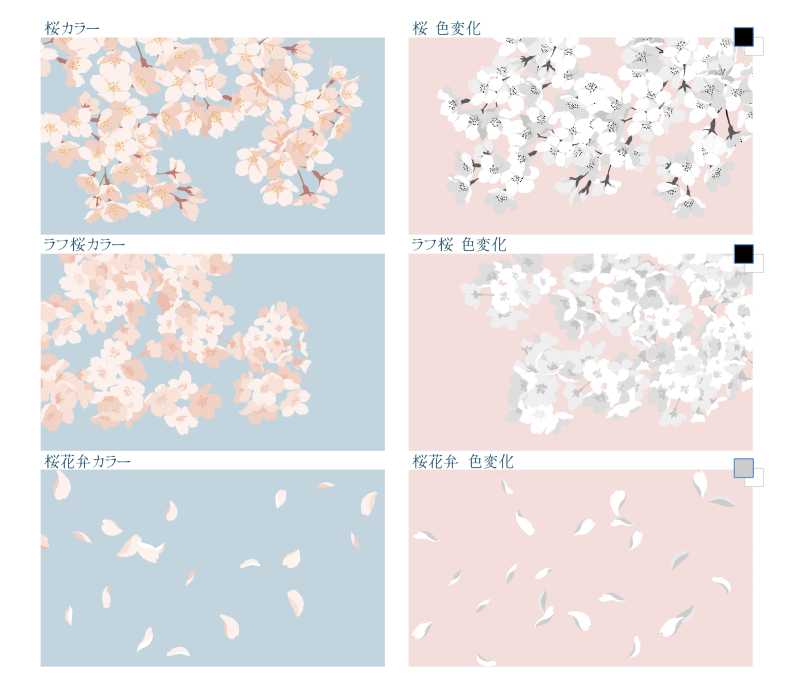
The set includes 6 cherry blossom (sakura) brushes split into two groups.
3 pre-colored brushes ready to use as-is, and 3 color-changeable brushes where you can set your own hue.
Drawing with the sub color on the color-change variants produces a silhouette effect, which is handy for manga.
The creator notes the brushes look best when drawn from branch tip to base due to how the petal directions are set. Works for both full-color illustrations and can be toned for black-and-white comics.
This is another brush set that you may use for Clip Studio Paint.
Its free and paid versions are available. If you’ve picked up some of these others, you should have no trouble getting this Clip Studio brush download.
Atmosphere Smoke Clip Studio Brush Set
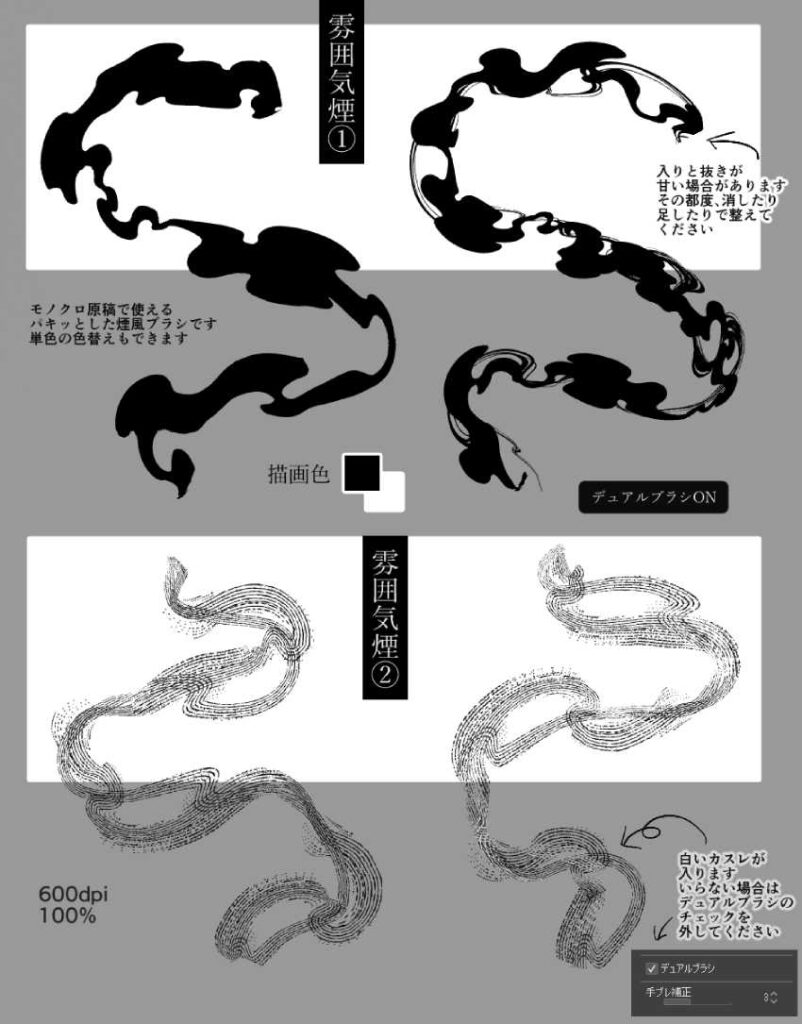
A single atmospheric smoke brush designed specifically for Japanese-style ink aesthetics.
This is like feudal Japan, yokai, and supernatural scenes.
The creator built it for their own “Hyakki Yako” (Hundred Demon Night Parade) manga scenes, which gives it a very specific and effective design intent.
It’s optimized for monochrome web manuscripts, so if you’re using it for print you’ll want to test output yourself first.
The key technique tip from the creator: light pressure going in, firm pressure through the middle, light pressure pulling out — that stroke rhythm gives the most natural smoke shape.
Cloud Clip Studio Brush Set
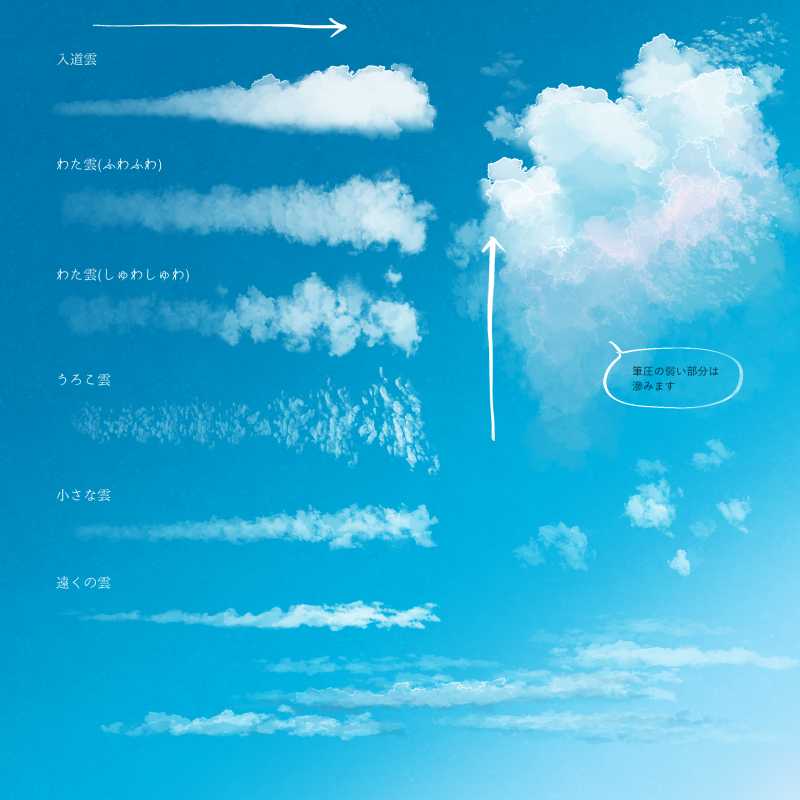
This popular brushset contains 6 cloud brushes, each built for a different cloud type:
- a towering cumulus brush with the sharpest watercolor edge in the set
- two cotton cloud variants (one fluffy with good color spread, one denser)
- a scaly cloud brush suited for autumn or evening skies,
- a small accent cloud for quick additions, and
- a distant cloud brush made with horizontal tip images for a hazy far-off look
All brushes are pressure-sensitive, size and opacity respond to pen pressure, and they blend naturally with the underlying color, making gradients easy.
The creator recommends drawing upward from the base to mimic how real clouds grow.
The watercolor border effect is on by default but can be toggled.
Manga Brushes
Big Brush Set
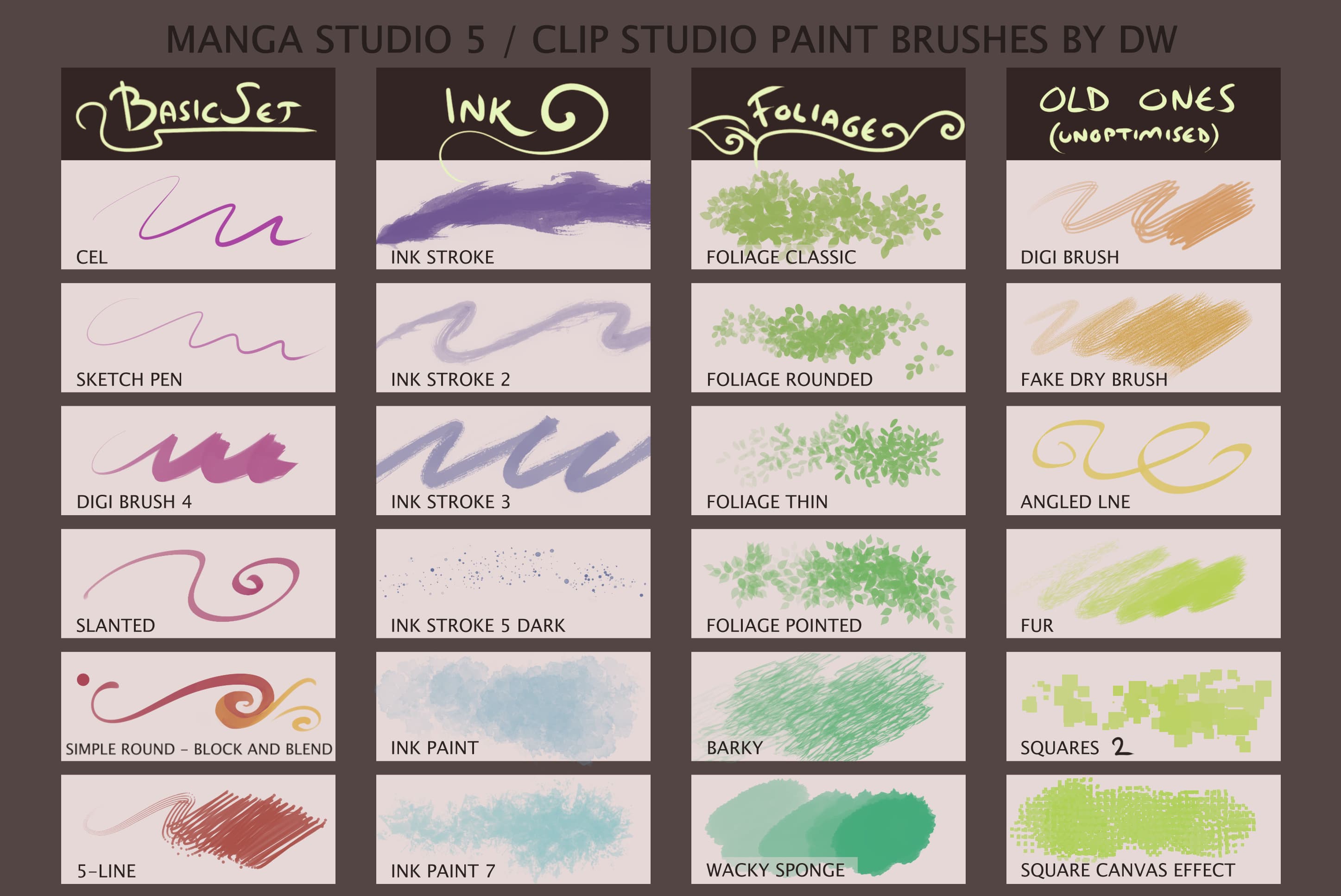
The first and foremost set of paintbrushes available for Clip Studio Paint is the Big Brush Set.
It was originally designed for Manga Studio 5 but you can easily use it in Clip Studio Paint.
Big Brush Set is packed with a variety of brushes including basic brushes, ink brushes, foliage, and a huge collection of old brushes.
Its basic set of drawing brushes includes cel, sketch pen, slanted, 5-line, block and blend, and Digi brush.
It’s easily one of the best free Clip Studio Paint brushes packages to get you started.
With a set of ink brushes, you can get ink stroke, ink painting, and ink grit and with foliage, you can get foliage classic, foliage thin, foliage pointed, foliage round, barky, nitty-gritty, and wacky sponge brushes.
Moreover, some custom designs of old brushes include fake dry brush, Digi brush, angled line, fur, square scatter, square canvas effect, and much more.
This is a massive brush set with a size of 41 MB but do not get worried about the size.
Each brush of this set has a natural blending and drawing feel.
A CSP brush can be used for a wide variety of different purposes.
In fact, the brig brush set is perfect for artists of all skill levels. Whether it is color mixing or applying paint over the canvas, this paint brushes set has got you covered.
Kakeami Brushes
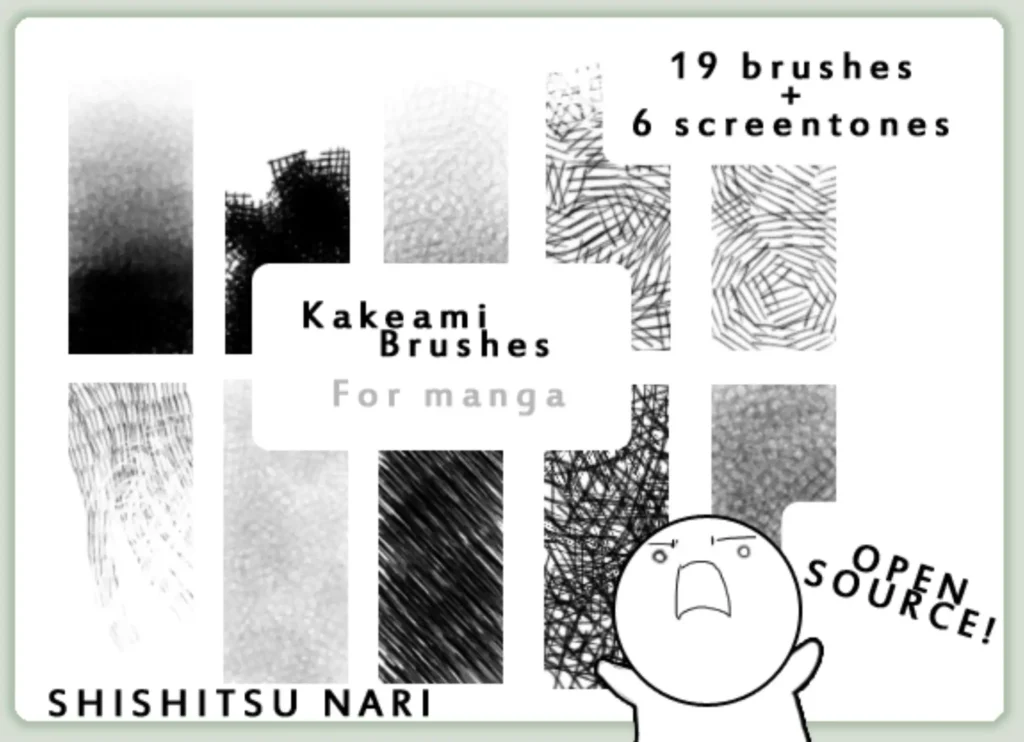
Kakeami Brushes is another set of CSP brushes that will definitely provide the best drawing experience.
Great for eerie and atmospheric pieces, these CSP brushes mimic many different pencil and pen crosshatching techniques.
By using this set of Clip Studio Paint brushes, you can get realistic blending not often found in digital software applications.
Available in both free and premium versions, this set of brushes will definitely give you a natural result!
It’s always nice when you can find Clip Studio free brushes versions of premium brushes.
Manga Studio 5 Brushes
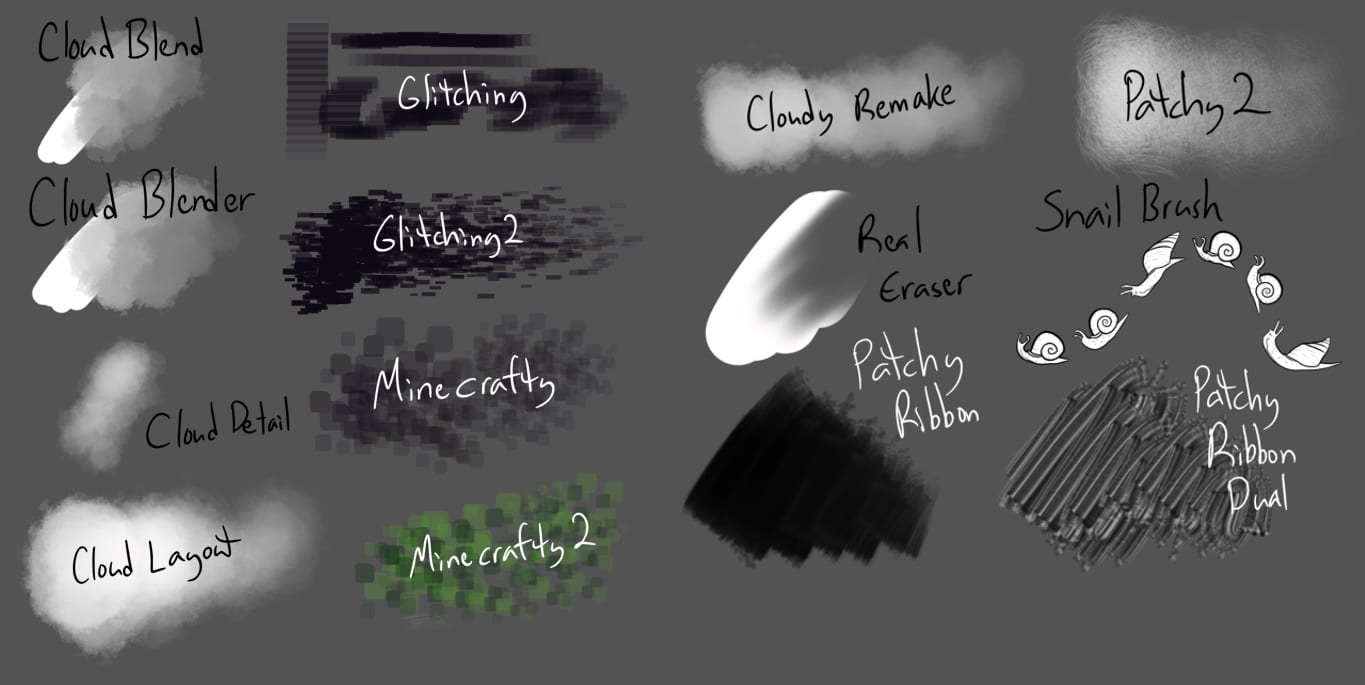
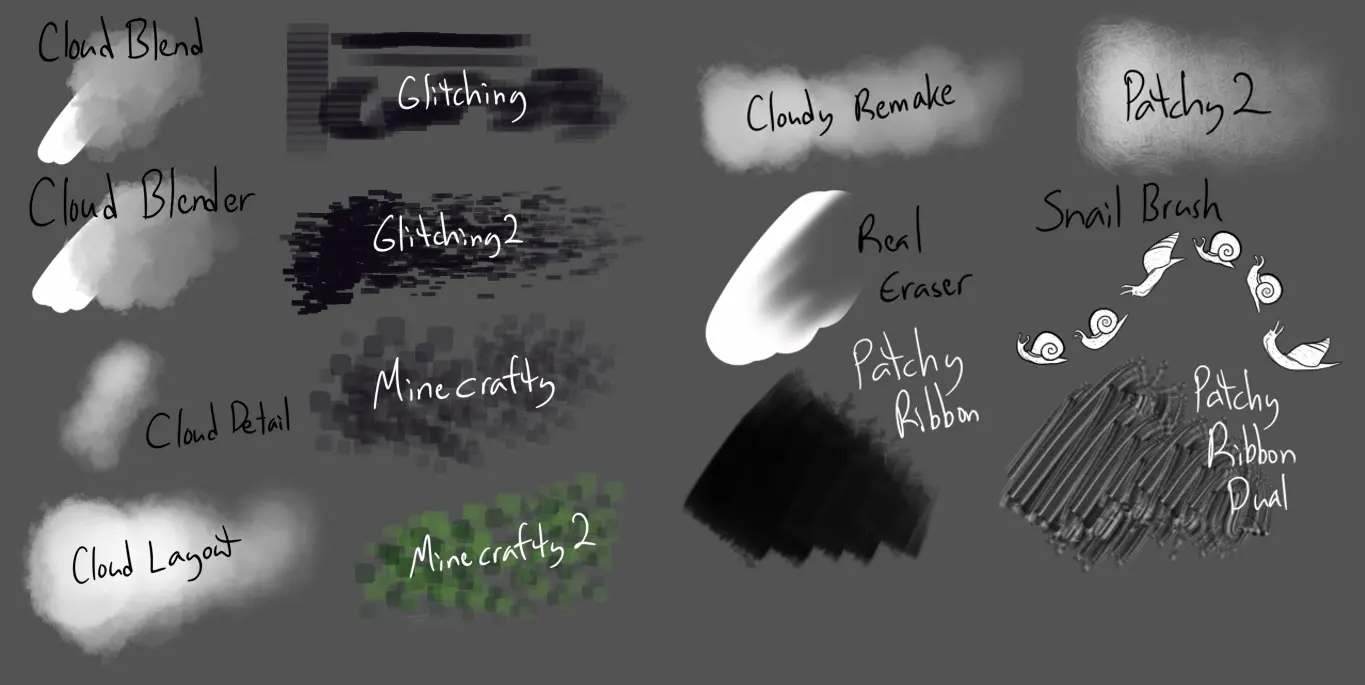
Manga Studio 5 Brushes is an old set of brushes but it works well in Clip Studio Paint.
You can easily download this pack with some of the best free CSP brushes and try them out.
With these brushes, you can draw a variety of patterns of clouds.
Want to know what this brush set has for you?
Some very useful Clip Studio Paint texture brushes.
You can get cloud blend, glitching, cloud detail, mine crafty, mine crafty 2, cloud layout, and cloud remake.
Specialty & Pattern Brushes
Clip Studio Paint Lace Brushes
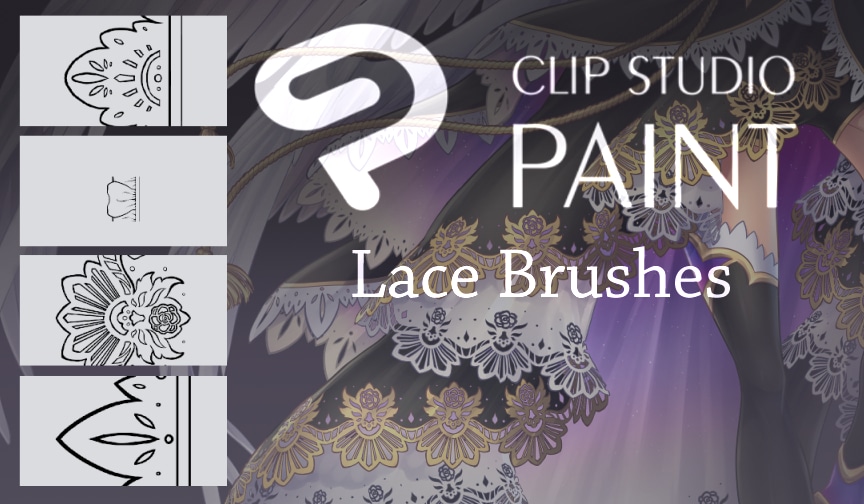
Here comes another powerful brush set known as Clip Studio Paint Lace Brushes.
This is one of the high-quality sets of brushes you can get in Clip Studio Paint.
CSP paint brushes can run the gambit of poor to high quality, so it’s always nice to find brushes for Clip Studio Paint that are of good quality like these.
These brushes are perfect to be used for drawing unique patterns for designing sofa cloths, curtains, bed sheets, towels, or any other fabric.
The author of this brush set has also explained the step-by-step procedure of its installation.
MissChroma Pastel Brush
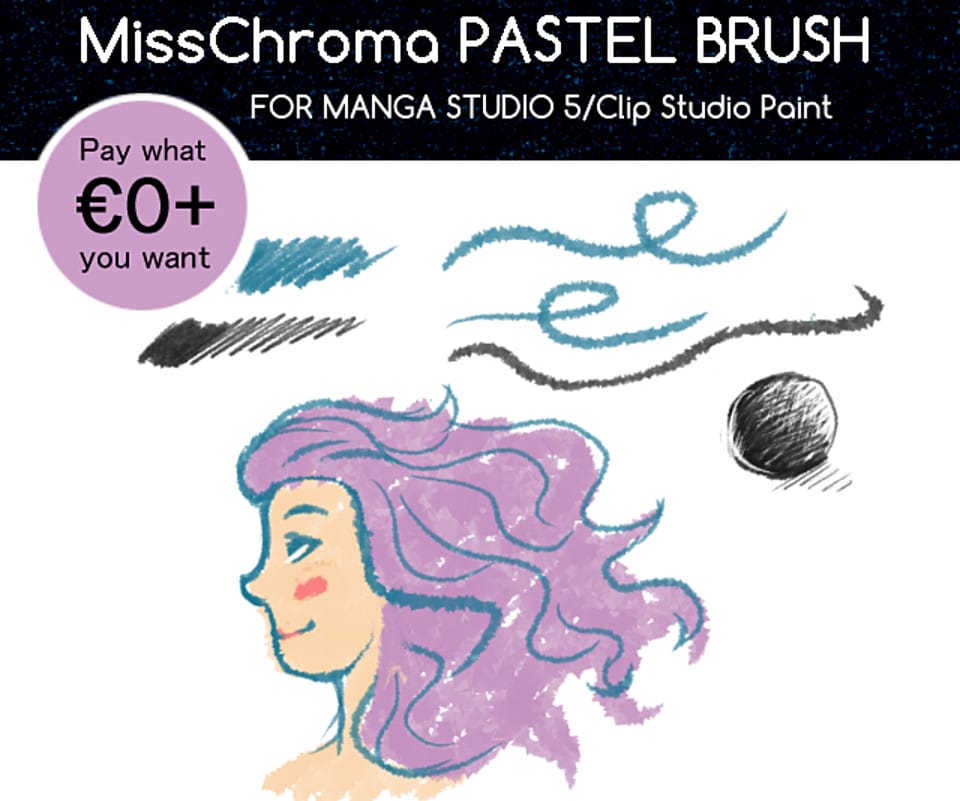
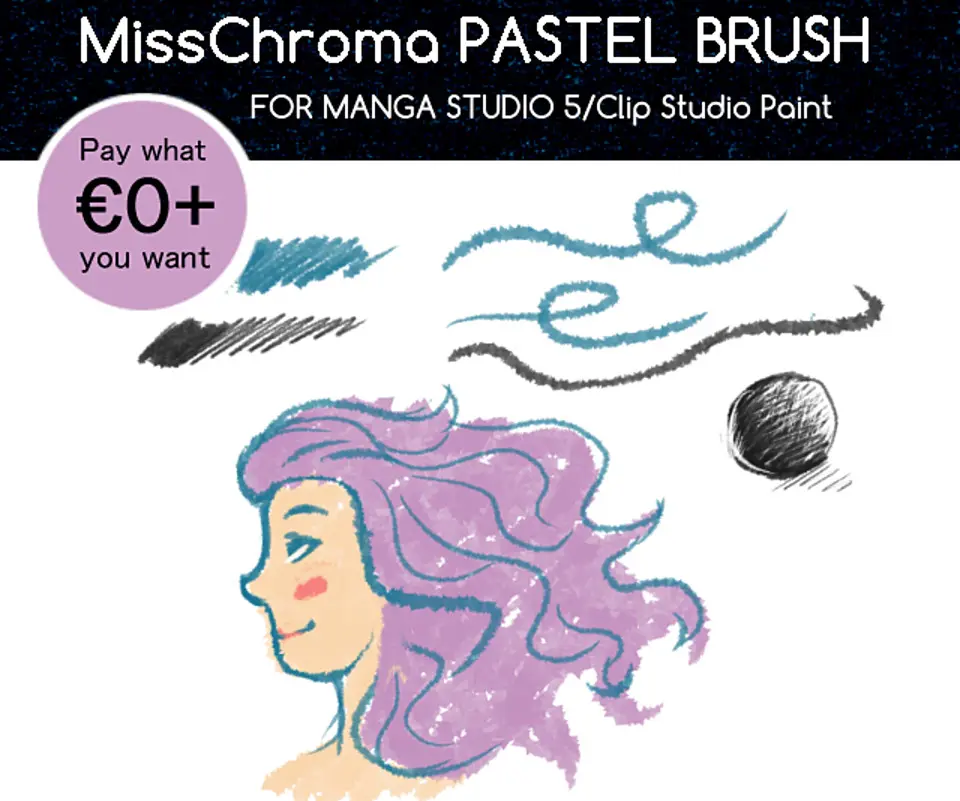
This set of brushes is packed with a variety of brushes that give unique pastel effects to your paintings.
These Clip Studio brushes are helpful to get that colorful, dreamy feel.
It is available in both free and premium versions.
Other featured topics that will help you with painting:
- Essential Guide to Mixing Brown Paint
- 20 Easy Acrylic Painting Ideas Beginners Should Paint
- Favorite Supplies From Artists That Use Acrylic Paint
- 3 Essential Tips on How to Use Oil Paints
- How To Paint A Star-Filled Galaxy
- 35 Oil Painting Tips for Beginners and Experts
- The Must-Know Steps You Shouldn’t Avoid To Clean An Oil Painting
- 100 Easy Watercolor Painting Tutorials Anyone Can Do
- 8 Digital Painting Exercises To Improve Your Skills in 2020
- 15 Easy Tips For Painting Breathtaking Skies
- How To Paint Celebrity Portraits From Photographs: Step-by-Step Guide To Digital Painting
Installing Free Brushes in Seconds
Method 1 – One‑Click via Clip Studio Assets
- Open the Clip Studio launcher (not Clip Studio Paint) and sign in.
- Search Assets > Materials for the brush set you want, then click Download.
- Switch back to Clip Studio Paint and open Window → Material → Download.
- Drag the new brush thumbnail from the Download folder into any Sub Tool palette—done! Reddit CLIP STUDIO PAINT
Tip: Right‑click the thumbnail and choose Add to Palette if you prefer a specific tool group.
Method 2 – Import Local .sut Files (Desktop)
- Locate your downloaded
.sutor.pngbrush file in Finder/File Explorer. - In Clip Studio Paint, make sure the Sub Tool palette for the target tool (Pen, Brush, Airbrush, etc.) is visible.
- Drag & drop the file directly into that palette. A blue highlight confirms the import.
- Test the brush; tweak settings as desired. Clip Studio Support Pharan Brush
If drag‑and‑drop is disabled (older macOS versions), use Sub Tool menu → Import Sub Tool… instead. Clip Studio Support
Method 3 – Mobile / Chromebook
- Tap the Sub Tool palette’s menu ⋮ in Clip Studio Paint.
- Choose Import Sub Tool and navigate to the brush file in your device storage or cloud drive.
- Select Open; the brush appears instantly in the current tool group. Clip Studio Support
Quick Troubleshoot
- Gray “no‑entry” cursor while dragging? Make sure you’re dropping into a Sub Tool (not the main Tool icon).
- Brush missing after restart? Right‑click the brush and select Register to Material so it syncs and backs up automatically.
Key Categories of Free Clip Studio Brushes
| Category | Typical Uses | What Makes It Handy |
|---|---|---|
| Pencils & Dry Media | Sketching, rough layouts, texture studies | Simulates graphite, charcoal, or colored pencils with realistic grain and tilt shading |
| Inkers & Pens | Line art for comics, manga, illustrations | Pressure‑responsive G‑pen, mapping nib, and tapered brush pens deliver crisp, variable lines |
| Paint & Blenders | Digital oils, acrylics, watercolor washes | Wet‑mix, color‑stretch, and “dense water” brushes mimic traditional paint flow and allow soft smudging |
| Texture & Pattern | Adding paper grain, canvas weave, halftone dots | One‑stroke fills that instantly give surfaces believable material or print effects |
| FX & Particles | Glows, smoke, sparks, rain, magic auras | Scatter settings create fast environmental or cinematic effects without hand‑placing individual elements |
| Specialty / Manga Screentones | Speed lines, tone gradients, focus bursts | Purpose‑built for manga workflows—saves hours versus manual screentone placement |
| 3D Pose Line‑Art & Ruler Helpers | Auto‑inking 3D models, perspective guides | Follows ruler paths or 3D meshes to generate clean contour lines |
| Calligraphy & Lettering | Hand‑lettered titles, logo work, Sumi‑e strokes | Responsive width changes and ink bleed for expressive typography |
| Nature Brushes | Leaves, grass, clouds, foliage clusters | Pattern tips populate organic scenes quickly while retaining natural variation |
| Surface Detail & Photobash | Rust, scratches, skin pores, fabric fiber | High‑res stamp brushes add realistic micro‑detail in concept art and texturing |
Knowing which category you need lets you target your searches in Clip Studio Assets—saving time and keeping your brush library focused on the tools you’ll actually use.
Minimum Requirements & Version Compatibility
- Supported desktop OS: Windows 10/11 (64‑bit) or macOS 11 Big Sur + with at least 3 GB free storage and 8 GB RAM recommended. CLIP STUDIO PAINT
- Mobile/tablet devices: iPad (Pro M4/M3, Air M3/M2, 10th gen+) and recent Android/Chromebook models that can run CSP; Apple Pencil or USI stylus fully supported. Clip Studio Support
- Product tiers: Debut, Pro, and EX all load the same
.sutbrush files; EX simply adds multi‑page & animation tools that expand what certain FX brushes can do. CLIP STUDIO PAINT Support- Version numbers: Brushes made for Ver. 1.x or 2.x still open flawlessly in Ver. 4.0; new v2‑only options (e.g., per‑frame brush size) are ignored by older versions but won’t break the file. Clip Studio Support
- Input hardware: Any Wacom, XP‑Pen, or Huion tablet (Windows Ink/Wintab) on desktop; Apple Pencil (2nd gen) on iPad; pressure‑sensitive pens on compatible Chromebooks. CLIP STUDIO PAINT
Quick tip: If your machine struggles with large brushes, reduce “Brush Density” or switch to a lower‑resolution canvas while sketching—then scale up for final rendering.
Clip Studio Brush Basics
Know the Parts of a CSP Brush
Brush Setting What It Controls Why It Matters Sub Tool The “parent” preset (e.g., Real Pencil, G‑Pen). Think of it as your brush folder—each sub tool can house unlimited variants. Tip Shape Bitmap (pixel), Material (texture tile), or Ribbon (stretches along a path). Swapping tip shapes instantly changes edge quality—from crisp pen nibs to soft watercolor blooms. Stroke How the tip scatters, tilts, and flutters as you draw. Adjust scatter/angle for natural noise or comic‑style hatching. Dynamics Pressure, tilt, speed, or random variables mapped to size, opacity, angle, etc. Fine‑tune how your stylus pressure controls line weight or paint load. Texture An overlaid grayscale bitmap that modulates opacity. Adds toothy paper grain, canvas weave, or glitter to an otherwise flat stroke. Spraying Effect Particle count, spread, and jitter. Perfect for airbrush fades, snow, or star fields. Stabilization Input smoothing and post‑correction. Reduce shaky lines for clean inking without sacrificing responsiveness. Quick Navigation Tips
- Alt‑Click a Sub Tool to duplicate it before experimenting—your originals stay intact.
- Right‑Click > Register to Material saves a custom brush to your library so it syncs across devices.
- Reset Sub Tool restores factory defaults if you go too far.
Mastering these basics lets you tweak any free brush you download instead of hunting endlessly for the “perfect” preset.
Top Trusted Sources for Quality Brushes
- Clip Studio Assets Marketplace – the official hub with 70,000 + free and paid materials, sortable by Recommended, Popular, or version number. Look for the blue checkmark on creator profiles for vetted uploads. CLIP STUDIO PAINT
- DAUB Brushes – premium natural‑media sets refined since 2012; free samplers give you watercolor, oil, and ink tools that feel traditional yet remain lightweight. DAUB Brushes
- Indie Creators on Gumroad / Itch.io – artists like Olguioo and Liliyth release “pay‑what‑you‑want” starter packs that rival paid options—great for testing niche styles without commitment. Gumroad
- Community Picks on Reddit r/ClipStudio – threads labeled “favorite brushes” surface high‑quality packs such as the T‑Marker Wind set (Asset ID 1692034) plus curated hair, marker, and texture tools. Reddit
- Tutorial & Review Videos – YouTube channels regularly demo their top CSP brush packs, letting you preview stroke behavior before downloading. Creators often include direct Asset IDs in the description. YouTube
Save time by starting with these proven sources; once you trust a creator’s style, follow their profile so new releases show up in your Assets feed automatically.
Curated “Must‑Try” Starter Pack (15 Stand‑Out Free Brushes)
| # | Brush (name + Asset ID) | Category | Why It’s Worth a Slot in Your Library |
|---|---|---|---|
| 1 | Real Pencil (1706397) | Pencils & Dry Media | Tilt‑sensitive graphite that keeps a natural tooth for both rough thumbnails and tight sketches. CLIP STUDIO ASSETS |
| 2 | Hair Brushes (1706785) | Nature / Hair | Strand, braid, and afro presets—paint believable locks or fur in minutes. CLIP STUDIO ASSETS |
| 3 | T‑Marker Wind Set (1692034) | Paint & Blenders | Alcohol‑marker‑style strokes plus a blender tool for buttery gradations. CLIP STUDIO ASSETS |
| 4 | Screentone Pack (1845097) | Specialty / Manga | Three classic screentone shapes, perfect for quick manga shading. CLIP STUDIO ASSETS |
| 5 | Tone Brushes (1835931) | Specialty / Manga | Pressure‑sensitive halftone brushes that double as texture fillers. CLIP STUDIO ASSETS |
| 6 | Watercolor Brush (1758749) | Paint & Blenders | Staple wet‑edge brush with soft diffusion—great all‑purpose watercolor. CLIP STUDIO ASSETS |
| 7 | Kalany’s Watercolor (A) (2051310) | Paint & Blenders | Textured wash + blend combo; excels at glazing and shadow work. CLIP STUDIO ASSETS |
| 8 | Cloud Brush Set (1723992) | Nature FX | Six cloud‑tip variants that lay in airy skies with watercolor borders. CLIP STUDIO ASSETS |
| 9 | Glow Brush (1909255) | FX & Particles | One‑stroke neon lettering, magic auras, or UI glows—adjust size for signage. CLIP STUDIO ASSETS |
| 10 | Free Sparkle Brush (1853883) | FX & Particles | Scatter starbursts; set layer mode to Add (Glow) for instant highlights. CLIP STUDIO ASSETS |
| 11 | Realistic Pencil Pack (1746317) | Pencils & Dry Media | Broad, sharp, and tilt pencils with texture scaling for any canvas size. CLIP STUDIO ASSETS |
| 12 | Sunday Brush (1825825) | Pencils & Dry Media | Round sketch brush with subtle watercolor edge—great for loose linework. Tumblr |
| 13 | Fluid Marker Lineart (1901103) | Inkers & Pens | Reddit‑favourite marker pen for silky, varied line weight. Reddit |
| 14 | Rust Texture Duo (2122702) | Surface Detail | Two texture brushes + palette for weathered metal and grunge overlays. CLIP STUDIO ASSETS |
| 15 | Best‑Watercolor Asset Set (1682349) | Paint & Blenders | Community‑voted wash & texture kit that layers beautifully. Reddit |
How to Use the IDs: In the Clip Studio Assets dialog, paste an ID into the search bar, hit Enter, then click Download. Drag the material from Window → Material → Download into your preferred Sub Tool group—ready to paint!
Evaluating Brush Quality Before You Download
- Stars, Likes & Download Count
A quick glance at the mini stat bar under an Asset thumbnail tells you how well the community rates a brush. Packs with 100 + likes and a consistent 4‑star average have usually passed the “stress test” of thousands of users. CLIP STUDIO ASSETS - Crisp Stroke Previews
Swipe through the asset’s image gallery: you should see full‑size PNG or GIF stroke samples on a neutral background. Blurry 200 × 200 px thumbnails or a single icon are red flags for low‑resolution textures. CLIP STUDIO ASK - Version & Platform Notes
Responsible creators list “Tested on CSP v2.3 desktop & iPad,” helping you avoid features that older versions can’t parse (e.g., per‑frame brush size in v2). If you’re still on v1.x, skip brushes tagged “v2‑only” to prevent missing‑setting errors. Internet Archive - Comment Section Scan
Before hitting Download, skim the comments for bug reports like “missing textures” or “lag on large canvases.” Community threads on Reddit often flag performance issues that never make it into the description. Reddit - Creator Track Record
Click the author’s name: a portfolio of highly rated sets (or a blue verification badge) indicates ongoing support and quick updates when CSP changes brush specs. CLIP STUDIO ASSETS - Quick Local Test
Import the brush into a blank 3000 × 3000 px canvas first. Lay down fast strokes at 100 %, 50 %, and 10 % size—delete it if you see lag spikes, pixelation, or missing textures.
Thirty seconds of due diligence saves hours of cleanup and frustration later.
Customizing Brushes to Fit Your Style
1. Duplicate Before You Tweak
Right‑click any brush and choose Duplicate Sub Tool. Now you have a sandbox copy, so experiments never overwrite the original.
2. Adjust Size & Opacity Dynamics
- Open Tool Property → Brush Size → Dynamics.
- Map Pen Pressure to Size (slanted icon) for natural taper.
- In Opacity, lower the minimum value (e.g., 5 %) so light strokes stay visible when sketching.
3. Swap or Edit the Tip Shape
- Click the Wrench icon → Brush Tip.
- Choose Replace Brush Tip to drop in a custom PNG (white on transparent).
- Scale to 1000 px for texture brushes; keep inkers around 200‑300 px for crisp lines.
4. Add Paper Grain or Canvas Texture
- Go to Texture → Add Texture and select a grayscale bitmap.
- Check Apply by Jitter for random grain; adjust Brightness to control how pronounced the texture appears.
5. Fine‑Tune Stabilization
- Under Correction, increase Stabilization (5‑15) for smoother lines or lower to 0‑2 for a lively, hand‑drawn feel.
- Enable Post‑Correction → Adjust by Speed so fast flicks stay sharp while slow curves auto‑smooth.
6. Save Variants as a Family
Group related brushes in a custom Sub Tool Group (e.g., “My Pencils”). Drag‑and‑drop each variant, then Register to Material so they sync to other devices.
A few targeted tweaks transform any free brush into a signature tool that matches your pressure, canvas size, and artistic workflow.
Brush Library Management Tips
- Create Purpose‑Driven Sub Tool Groups
- Right‑click empty space in the Sub Tool palette → Create New Group.
- Label by workflow rather than medium (e.g., Sketching, Line Art, FX‑Magic). This keeps related tools within one scroll, reducing hunt time.
- Use Clear, Searchable Naming Conventions
- Prefix with category then descriptor:
Pencil‑Smooth‑HB,FX‑Sparkle‑Large. - Avoid duplicate names; CSP treats “Watercolor” and “Watercolor (2)” as separate entries—confusing after a few months.
- Prefix with category then descriptor:
- Color‑Code Icons for Visual Scanning
- Click the brush thumbnail → Change Brush Tip Shape → pick a colored PNG icon.
- Reserve bright accents (reds/yellows) for high‑frequency tools so they pop in the palette.
- Tag & Register to Material for Cloud Sync
- In the Sub Tool Detail → Information tab, add tags like ink, texture, hair.
- Choose Register Sub Tool as Material and tick Use for Sub Tool → brushes now sync across desktop, iPad, and Chromebook installs.
- Backup the “tool” & “material” Folders Weekly
- Locate them in:
- Windows:
C:Users<name>DocumentsCELSYSUserDataClipStudioPaintData - macOS:
~/Library/Application Support/CELSYSUserData/ClipStudioPaintData
- Windows:
- Zip and store on a cloud drive—restores your exact layout after OS reinstalls.
- Locate them in:
- Seasonal Clean‑Up Routine
- Every quarter, create a blank file → cycle through seldom‑used brushes.
- If one hasn’t left a mark on real projects, move it to an “Archive” group or delete. Lean libraries load faster and encourage mastery of core tools.
A tidy brush library isn’t just aesthetic—it speeds up tool selection, lowers load times, and keeps your creative flow interruption‑free.
Troubleshooting Common Issues
| Symptom | Likely Cause | Quick Fix |
|---|---|---|
| Brush feels laggy on large canvases | Oversized tip shape (2 K+ px) or high Spraying Effect → Particle Count | In Sub Tool Detail → Brush Tip, scale the tip to 500–800 px. Reduce Particle Count or enable Adjust by Stroke Direction to streamline processing. |
| “Missing texture” warning on load | Brush references a texture file that wasn’t included with the download | Open Sub Tool Detail → Texture, click the texture thumbnail, and select a replacement bitmap from the default CSP library (e.g., Paper:Rough). |
| Solid squares instead of strokes | Pressure dynamics set to 0 % min size—or stylus driver glitch | In Tool Property → Brush Size, raise the Minimum Value above 0 %. Restart your tablet driver or toggle Windows Ink/Wintab. |
| Brush imports but is greyed‑out | Imported into wrong Tool group (e.g., a Pen in the Airbrush palette) | Drag the brush into a compatible Sub Tool group (Pen, Brush, etc.) or right‑click → Create New Sub Tool Group for mixed media sets. |
| .sut file won’t import on iPad | iOS renamed the file (e.g., brush.sut.txt) during download | In the Files app, rename the file back to .sut extension, then re‑import via ⋮ menu → Import Sub Tool. |
| Sudden jagged strokes after update | Stabilization reset or old calibration profile | Check Correction → Stabilization value (5–15 good for inking). Re‑run your tablet’s pen calibration utility. |
| Asset crashes CSP on open | Corrupt download or incompatible v2 feature on older CSP | Delete the brush, clear Window → Material → Download, then redownload. If you’re on v1.x, avoid assets tagged “v2‑only.” |
Pro Tip: Keep a blank “Test Canvas” file at 3000 × 3000 px. Import new brushes there first—if they lag or glitch, troubleshoot before adding them to your main project.
Advanced Tricks & Workflow Hacks
1. Auto‑Action Brush Swaps
Create an Auto‑Action that changes your active brush, color, and layer mode in one click:
- Open Window → Auto Action and hit New Set → New Auto Action.
- Click Record, select your favorite inking brush, switch foreground color to black, set layer blend mode to Multiply, then stop recording.
- Bind the Auto‑Action to a hotkey (e.g., F3) via File → Shortcut Settings. Now you can flip from pencils to inks instantly.
2. Pop‑Up Color & Brush Palettes
- Hold Tab to temporarily hide all UI and free up canvas space.
- Map Shift + Spacebar to bring up the Quick Access palette—store your top 10 brushes and 6 swatches there for lightning‑fast picks without hunting menus.
3. Vector Layer Inking for Non‑Destructive Cleanup
- Create a Vector Layer before inking.
- Use any pressure‑sensitive pen; strokes stay editable.
- With the Correct Line → Simplify Vector Line tool, trim excess points or tweak line width post‑stroke—perfect for polishing comics.
4. Brush Size Per Zoom Level (CSP v2+)
In Preferences → Canvas, enable Link Brush Size to Zoom. A 6 px brush stays visually consistent whether you’re zoomed in or out, preventing accidental thick lines on detail edits.
5. Clip Curve to Brush for Dynamic Speed Lines
- Draw a curved Ruler → Special Ruler → Parallel Curve.
- Attach a speed‑line brush to it; strokes will automatically follow the curve, giving perfect manga motion without manual alignment.
6. Use the Sub‑View Window as a Reference Color Sampler
- Window → Sub View lets you load any image (palette, photo).
- Activate the Eye‑Dropper Only option so every Alt‑click samples directly from Sub‑View without switching windows.
7. Palette Cycling with Stream Deck / Macro Keys
Assign your most‑used brush groups or Auto‑Actions to a hardware macro pad for single‑tap access—ideal during live streams or timed illustration challenges.
These workflow hacks shave seconds off every repetitive action, adding up to hours saved on large illustration or manga projects.
Bonus: Animation‑Ready Brushes & New CSP v2 Perks
Why care? Smooth line tests and FX passes live or die on onion‑skin clarity and timeline efficiency. These free tools plus v2 upgrades give you cleaner keys, snappier playback, and fewer “why is this frame blank?” moments.
| Tool / Feature | What It Does | Where to Get It |
|---|---|---|
| “RL‑Onion Skin” Auto‑Action Asset ID 1738154 | Toggles onion‑skin on/off and instantly sets the number of ghost frames before/after the current cel—no more hunting menu checkboxes. | Clip Studio Assets → paste ID 1738154, download, then assign it to a hotkey. CLIP STUDIO ASSETS |
| Onion‑Skin Friendly Inking Pen Asset ID 1741896 | High‑contrast blue/red strokes stay legible under onion‑skin tints, so roughs don’t disappear behind the ghosted frames. | Search Assets for the ID and drag into your Pen group. CLIP STUDIO ASSETS |
| LEFU FX Brush Pack Asset ID 1752041 | Pressure‑responsive sparkles, plasma arcs, and shock‑wave rings—perfect for one‑stroke frame‑by‑frame explosions. | Free on Assets; works in both v1 & v2. CLIP STUDIO ASSETS |
| Timeline Color‑Coding & Audio Scrubbing (v2+) | New Audio Scrubbing lets you scrub dialogue or SFX directly on the timeline, while cel/layer color‑tags keep roughs, cleans, and FX layers visually sorted. | Built into Clip Studio Paint v2 (desktop & mobile). CLIP STUDIO PAINT |
| Enhanced Onion‑Skin Controls | Adjust colors, opacity falloff, and number of ghost frames right in Animation → Show animation cels → Onion skin settings. | Available in all tiers; see the official user guide. CLIP STUDIO HELP |
Quick‑Start Workflow
- Map the RL‑Onion Skin Auto‑Action to a spare key (e.g.,
Shift + O). - Rough keys with the Onion‑Skin Friendly Pen on a blue layer; hit your hotkey to toggle ghosts as needed.
- Clean up on a separate vector layer; color‑tag roughs in orange and cleans in green for instant visual sorting on the timeline (v2+).
- Add FX on top using the LEFU brush set—each stroke lives on its own cel, so you can tweak timing without redrawing.
- Scrub audio with the new v2 timeline option to nail lip‑sync or hit beats.
These extras turn CSP from “capable” to “animation‑ready,” especially when paired with the v2 timeline conveniences.
Conclusion
Clip Studio Paint, earlier known as Manga Studio, is one of the most useful graphics software used by many Manga and Anime designers.
It is not only easy to use but its brushes are the most flexible ones as compared to the brushes of the modern painting and drawing software. The way its brushes blend colors is just fantastic.
It is packed with useful tools that may allow you to save time, ultimately allowing you to focus on the fun of creating something new and unique.
The above-mentioned brushes are the top best Clip Studio Paint free brushes.
After testing most of these brushes, the possibilities of each brush are just incredible.
Every brush set is so organic that at times you will get non-planned results, resulting in the final image.
You will surely find these paint brushes useful for you to use in Clip Studio Paint no matter what type of artwork you are making.
They will provide the best drawing experience.
Before using these brushes, make sure that you have learned several methods and painting techniques used in Clip Studio Paint.
Frequently Asked Questions
Yes. Clip Studio Paint is the direct successor to Manga Studio 5, so any brush made for Manga Studio 5 will work in CSP without modification. If you see a brush pack labeled “Manga Studio 5” or “MS5,” download it without hesitation. It will install and behave exactly the same way.
The official Clip Studio Assets marketplace (assets.clip-studio.com) is the safest and most organized source — it has over 70,000 free and paid materials, all searchable by category and compatible version. Beyond that, DeviantArt, Gumroad, and Reddit’s r/ClipStudio community regularly surface high-quality packs from independent artists. This post covers the best picks across all of those sources so you don’t have to dig through all of them yourself.
Yes. CSP supports importing Adobe Photoshop .abr brush files directly. The stroke behavior may look slightly different since the two brush engines work differently, but most .abr brushes import cleanly. To install one, drag the .abr file into your Sub Tool palette the same way you would a .sut file.
No. Procreate’s .brushset format is not compatible with CSP. The two apps use entirely different brush engines. If a creator you love makes brushes for both apps, look for a separate CSP or Photoshop version on their Gumroad or DeviantArt page.
Yes. Any .sut brush file installs on iPad and Android just like on desktop. Tap the Sub Tool palette menu, choose “Import Sub Tool,” navigate to the file in your device storage or cloud drive, and tap Open. One thing to watch: if your iPhone or iPad renames the file during download (e.g., brush.sut.txt), rename it back to .sut in the Files app before importing.
Check three things: the download count and star rating on the Assets page, whether the creator has included actual stroke preview images (not just a thumbnail), and the comment section for any bug reports. A brush with thousands of downloads and a 4-star average has been stress-tested by the community. If you only see a single blurry icon with no stroke samples, skip it.
It can. CSP loads your entire brush library at startup, so a very large collection with high-resolution tip shapes can increase load times. The fix is to keep your active palette lean — move brushes you rarely use into an “Archive” sub-tool group rather than deleting them, and aim to master 10–15 brushes well rather than hoarding hundreds you never open.